
Blog
The Best Nightstand with USB for Your Bedroom
Buying Guide
How to Choose a Nightstand with USB
A nightstand with USB is more than just a table—it’s a charging hub for your devices. Here’s what to look for when selecting the perfect one.
Why a Nightstand with USB Is a Smart Choice
Modern life revolves around devices. A nightstand with USB eliminates cable clutter and keeps your phone, tablet, or e-reader charged overnight. No more hunting for wall outlets or dealing with tangled cords. It’s a small upgrade that makes your bedtime routine smoother.
Beyond convenience, these nightstands help maintain a tidy bedroom. With built-in ports, you can plug in devices directly on the tabletop, keeping the floor and walls free of adapters. Many models also include standard outlets for lamps or alarm clocks.
Key Features to Look For in a Nightstand with USB
Not all USB nightstands are created equal. Here are the features to prioritize:
- Charging speed: Look for USB-A and USB-C ports with fast-charging capabilities (2.4A or higher).
- Number of ports: Two is standard, but three or more can charge multiple devices simultaneously.
- Cable management: Built-in grommets or hidden compartments keep wires organized.
- Outlet integration: Some models include AC outlets for non-USB devices.
For more on USB standards, check out Wikipedia’s USB page.
Size and Placement: Getting the Right Fit
Measure your space before buying. A standard nightstand is 20-30 inches tall, matching mattress height for easy access. Width should leave room for a lamp and phone. Depth matters too—too deep and it sticks out; too shallow and items may fall.
Consider the layout: if your bed is against a wall, a smaller footprint works. For larger bedrooms, a wider nightstand with drawers offers more storage. Always leave a few inches between the nightstand and the bed for cleaning.
Material and Durability: What Works Best
Solid wood offers timeless appeal and durability but can be heavy. Engineered wood like MDF is lighter and more affordable, but check the finish for scratch resistance. Metal frames add an industrial touch and are easy to clean. Glass tops look sleek but show fingerprints.
If you have kids or pets, choose materials that withstand bumps and spills. A nightstand with USB ports should have sturdy construction to last years.
Style and Design: Matching Your Bedroom Decor
Your nightstand should complement your room’s aesthetic. For modern spaces, look for clean lines and minimalist designs. Traditional rooms pair well with wood tones and classic shapes. Mid-century styles feature tapered legs and warm finishes.
Color matters: white or light wood brightens a room, while dark hues add coziness. Gold or brass accents can elevate the look. A nightstand with USB doesn’t have to sacrifice style for function.
Drawers vs. Open Shelves
Drawers hide clutter but require more depth. Open shelves offer easy access but need tidying. Some models combine both. Consider what you’ll store: books, remotes, glasses, or charging cables.
Budget and Value: What to Expect
Prices range from $50 for basic models to $400+ for solid wood designs. Mid-range ($100-$200) often offers the best balance of quality and features. Look for USB ports that are easily replaceable if they fail.
Investing in a well-made piece saves money long-term. Check reviews for durability and charging performance. A good nightstand with USB should last through several phone upgrades.
Installation and Setup Tips
Most USB nightstands require assembly. Look for clear instructions and included tools. Some have pre-installed USB ports, while others need you to connect wires. Ensure the power cord reaches an outlet—if not, use a power strip.
Place the nightstand so the USB ports face you for easy plug-in. Use cable clips to route wires neatly. Some models have a built-in surge protector; test it after setup.
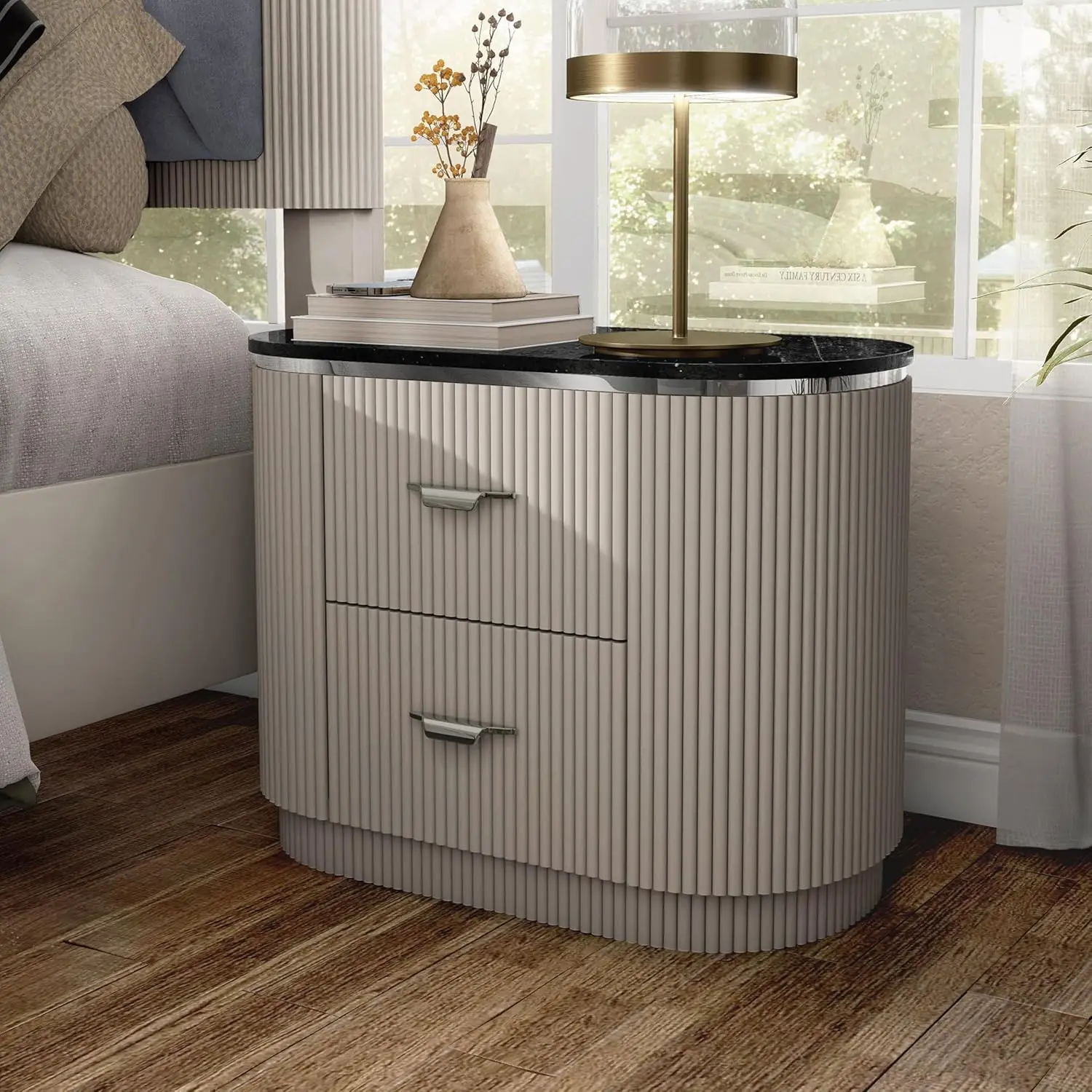
Modern 2-Drawer Nightstand with USB Port and Gold Capped Legs
For a stylish and functional option, consider the Modern 2-Drawer Nightstand with USB Port and Gold Capped Legs—it blends charging convenience with elegant design.
Frequently asked questions
Can I charge multiple devices at once on a nightstand with USB?
Yes, most models have two or more ports, but total output is shared. Check the amperage: 2.4A per port is ideal for fast charging tablets and phones simultaneously.
Is it safe to leave devices charging overnight on a nightstand with USB?
Modern USB ports have overcharge protection, so it’s generally safe. However, use quality cables and avoid covering the nightstand with fabrics that trap heat.
Do nightstands with USB need to be plugged into a wall outlet?
Yes, they require a power cord to function. Some models have a built-in plug that goes directly into the wall, while others use a detachable cord. Always check the cord length to ensure it reaches your outlet.
Can I install USB ports on an existing nightstand?
Yes, you can buy USB outlet inserts and install them with basic tools. However, it may require cutting a hole and wiring. If you’re not handy, consider buying a pre-made nightstand with USB.
