
Blog
Modern Computer Desk: A Complete Buying Guide
Buying Guide
How to Choose a Modern Computer Desk That Works for You
In today’s world, a modern computer desk is more than just a piece of furniture—it’s the command center for work, creativity, and connection. Whether you’re setting up a home office or upgrading your bedroom, the right desk can transform your daily routine.
Understanding Your Needs for a Modern Computer Desk
Before you start browsing, take a moment to think about how you’ll actually use your desk. Are you a multitasker with multiple monitors, or do you prefer a minimalist setup with just a laptop? Do you need space for paperwork, or is a clean, uncluttered surface your priority? Answering these questions will help you narrow down the vast array of options.
Consider the primary activities: if you spend hours typing, ergonomics become crucial. If you’re an artist or gamer, you might need more surface area. Also think about the future—will your needs change? A versatile design can adapt.
Assessing Your Workflow
List your daily tasks: email, video calls, creative work, gaming. Each activity has its own spatial and organizational requirements. For instance, video conferencing demands a spot for a camera and good lighting, while gaming might require cable management solutions.
Key Materials: Wood, Metal, and Glass
The material of your modern computer desk affects not only its looks but also its durability and maintenance. Wood offers warmth and classic appeal, while metal provides strength and a sleek, industrial edge. Glass can make a small room feel more open but may require more frequent cleaning.
Solid wood is sturdy but can be heavy and expensive. Engineered woods like MDF are budget-friendly and come in various finishes. Metal frames are typically powder-coated to resist scratches and rust. A combination of wood and metal, like a wooden top with a metal X-frame, balances aesthetics and stability.
Pros and Cons of Common Materials
- Solid Wood: Durable, timeless, but heavy and costly.
- MDF/Particleboard: Affordable, smooth surface, but less moisture-resistant.
- Metal: Strong, modern, but can feel cold and may dent.
- Glass: Elegant, makes room feel larger, but shows smudges and can break.
Ergonomics: Comfort and Health
A truly modern computer desk should support your body, not just your computer. Proper ergonomics prevent strain and fatigue, especially if you sit for long periods. The height of the desk should allow your elbows to rest at a 90-degree angle when typing, and your monitor should be at eye level.
Look for desks that accommodate an ergonomic chair, with enough legroom and a surface that doesn’t force you to hunch. Some desks offer adjustable heights or keyboard trays, which can be great for sharing the desk among different users.
Key Ergonomic Features
- Height: Standard is around 29 inches, but adjustable options exist.
- Depth: At least 24 inches to avoid eye strain from a too-close monitor.
- Legroom: Clearance for your knees and feet to move freely.
- Cable Management: Holes or trays to keep cords organized and out of the way.
Space and Size: Finding the Perfect Fit
Your room’s dimensions and layout are critical when selecting a modern computer desk. A massive executive desk might look impressive, but if it overwhelms your space, it’s not practical. Measure your available area, considering not just the desk’s footprint but also clearance for chairs and walkways.
For small rooms, consider corner desks or wall-mounted options that maximize vertical space. If you have a dedicated home office, you have more flexibility. Always account for additional furniture like bookshelves or storage units.
Desk Shapes and Configurations
- Rectangular: Classic, versatile, fits well against a wall.
- Corner (L-shaped): Great for maximizing corner space, offers more surface area.
- Compact: Slim designs for tight spots, often with minimal storage.
- Standing desks: Height-adjustable for alternating sitting and standing.
Style and Aesthetics: Matching Your Decor
Your desk should reflect your personal style and complement the room’s existing decor. A modern computer desk can be a statement piece or a subtle addition. Think about the color palette, finish, and overall vibe you want to achieve.
For a minimalist look, choose clean lines and neutral colors like white or black. Industrial styles often feature metal frames and reclaimed wood. Scandinavian designs emphasize light woods and simple forms. Don’t be afraid to mix materials—a wooden top with black metal legs can bridge rustic and modern aesthetics.
Popular Style Directions
- Minimalist: Clean, uncluttered, functional.
- Industrial: Raw materials, exposed hardware, urban feel.
- Scandinavian: Light tones, natural textures, cozy.
- Mid-Century Modern: Tapered legs, organic shapes, retro charm.
Storage and Organization: Keeping Clutter at Bay
An organized workspace boosts productivity. Consider what storage you need: drawers for supplies, shelves for books, or a hutch for display. Some desks come with built-in cable management to keep wires hidden, which is essential for a clean look.
If you prefer a clutter-free surface, look for desks with built-in drawers or add-on organizers. Alternatively, a simple desk with external shelving can keep things within reach without crowding your workspace.
Storage Solutions to Consider
- Drawers: For small items like pens, sticky notes, and gadgets.
- Shelves: For books, plants, or decorative pieces.
- Cable trays: To hide power strips and cords.
- Keyboard trays: To free up surface space when not typing.
Budget and Value: Making a Smart Investment
A modern computer desk is an investment in your comfort and productivity. Set a realistic budget, but remember that quality often comes with a higher price tag. Cheaper desks may wobble or wear out quickly, costing more in the long run.
Consider the warranty and customer reviews. A desk with a solid frame and good finish can last for years. Look for features that add value, like adjustable feet for uneven floors or a scratch-resistant surface. Weigh the cost against the benefits of durability and design.
Tips for Getting the Best Value
- Set a budget: Determine what you’re willing to spend.
- Compare features: Don’t pay for extras you won’t use.
- Read reviews: Learn from others’ experiences.
- Check the warranty: A good warranty indicates confidence in the product.
Assembly and Maintenance: Simple Steps for Long-Term Use
Once you’ve chosen your ideal desk, proper assembly and care will ensure it stays in great condition. Most desks come with clear instructions and necessary tools, but some may require extra help. If you’re not handy, consider professional assembly services.
Regularly dust and clean the surface according to the material. For wood, use a gentle cleaner and avoid harsh chemicals. For metal, a damp cloth suffices. Tighten screws periodically to prevent wobbling. With the right care, your desk will serve you well for years.
Quick Maintenance Checklist
- Dust weekly with a microfiber cloth.
- Clean spills immediately to prevent stains.
- Use coasters for drinks and mats for hot items.
- Lubricate moving parts like casters or hinges if needed.
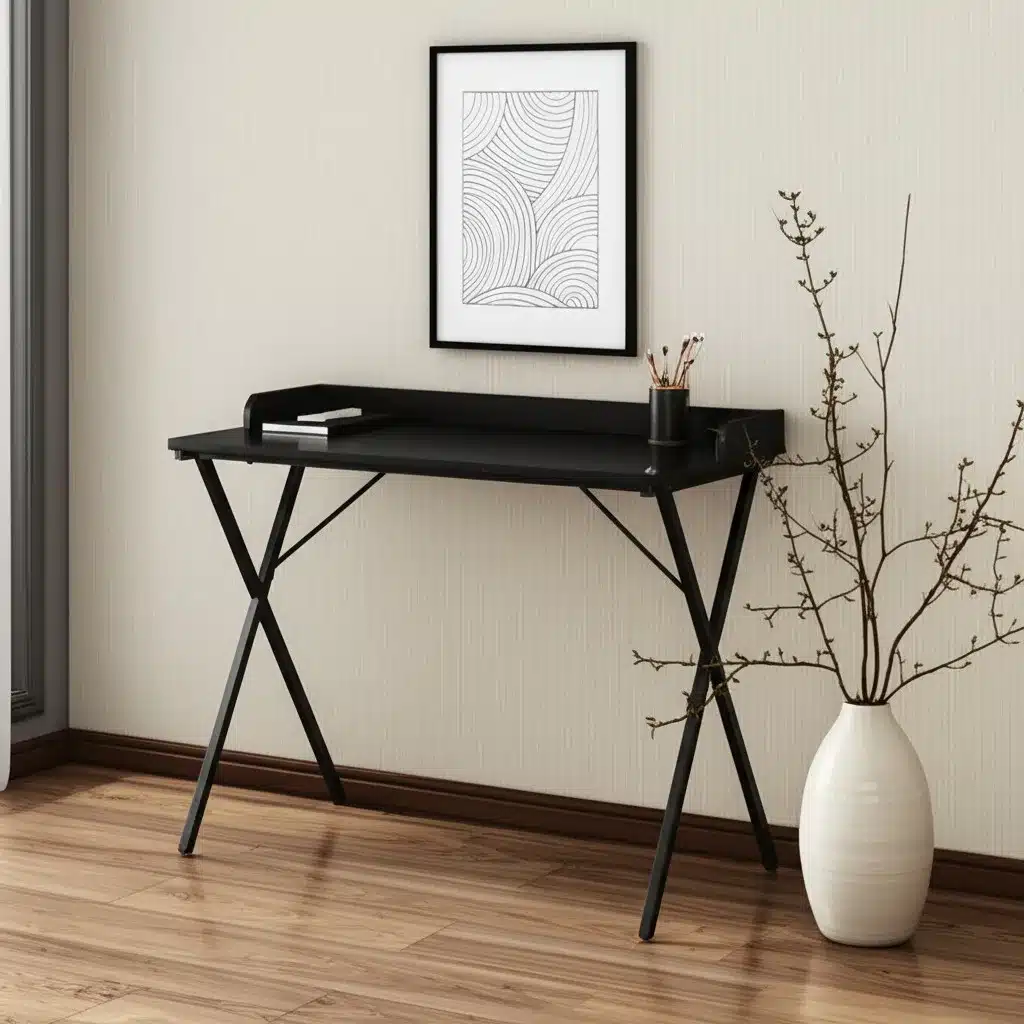
39″ Modern X-Shape Computer Desk Black Wood and Metal for Office or Bedroom Use Office Furniture
If you’re looking for a blend of style and sturdiness, consider the 39″ Modern X-Shape Computer Desk Black Wood and Metal, which offers a sleek design that fits seamlessly into any room.
Frequently asked questions
What is the ideal height for a modern computer desk?
The standard height is around 29 inches, but the ideal height depends on your body. When sitting, your elbows should be at a 90-degree angle, and your feet flat on the floor. Adjustable desks allow you to customize the height for maximum comfort.
How much space do I need for a computer desk?
Measure your room and consider the desk’s footprint. You need at least 24 inches of depth for a monitor and enough width for your equipment. Leave at least 36 inches of clearance behind the chair for easy movement.
Are glass computer desks durable?
Tempered glass is strong and resistant to shattering, but it can scratch and chip if not handled carefully. It’s also prone to smudges and fingerprints, requiring regular cleaning. If you prioritize durability and low maintenance, consider wood or metal.
How do I keep my desk cables organized?
Look for desks with built-in cable management holes or trays. You can also use adhesive cable clips, zip ties, or a cable sleeve to bundle cords together. Keeping cables off the floor prevents tangling and makes cleaning easier.
