
Blog
48 Inch Gaming Desk: The Perfect Fit for Your Setup
Desk Guide
Find Your Ideal 48 Inch Gaming Desk
A 48 inch gaming desk strikes a sweet spot between space and footprint, making it a popular choice for many gamers. But finding the right one involves more than just measuring your room.
Why Choose a 48 Inch Gaming Desk?
A 48 inch gaming desk offers a balanced surface area for your monitor, keyboard, and mouse, while still fitting comfortably in smaller rooms or apartments. It’s wide enough to avoid feeling cramped, yet compact enough to leave room for other furniture. For many, this size is the Goldilocks zone of gaming desks.
Compared to larger desks (60 inches or more), a 48-inch model encourages a more organized setup, as you’ll prioritize what’s essential. It also makes cable management simpler, since there’s less distance to cover. If you’re in a dorm, a studio, or a shared office, this size is a practical choice.
Key Factors to Consider
Material and Durability
The material affects not only looks but also longevity. Common options include solid wood, MDF (medium-density fiberboard), and metal frames. Solid wood is sturdy but heavy and pricey. MDF is affordable and smooth but can be prone to scratches. Metal frames add stability, especially if you have a heavy monitor setup.
Consider the finish: a matte surface reduces glare, while a glossy one looks sleek but shows fingerprints. Also, check the weight capacity – ensure it can handle your gear.
Ergonomics and Comfort
Your desk height should allow your elbows to rest at a 90-degree angle when typing. Many desks come with adjustable feet to level on uneven floors. If you’re taller or shorter than average, look for a desk with height adjustability, either via legs or a standing desk converter.
Also, consider the edge design – a curved or beveled edge prevents wrist strain during long sessions. A monitor stand or arm can also help achieve proper eye level.
Storage and Organization
Clutter can distract, so built-in storage is a plus. Look for drawers for small items, shelves for speakers or consoles, and cable management holes to keep wires tidy. Some desks have a monitor stand or a CPU holder, which can free up space.
Think about what you need within arm’s reach: a headphone hook, a cup holder, or a controller rack. These small touches can make a big difference.
Space Planning and Layout
Before buying, measure your room and the desk’s footprint. Remember to leave at least 24 inches of clearance behind your chair for easy movement. Also, consider the desk’s depth – typically 24 inches – to ensure your monitor is at a comfortable distance.
Think about the placement of power outlets. If your desk will be against a wall, ensure outlets are accessible. If you’re in a corner, a 48-inch desk might work, but measure diagonally.
For a ergonomic setup, the top of your monitor should be at or slightly below eye level, and the desk should allow for proper posture.
Style and Aesthetics
Your desk is a focal point, so choose a style that complements your room. Modern designs with clean lines and metal legs are popular. Wood finishes add warmth, while black or white options are versatile. Some desks have RGB lighting, which can enhance the gaming vibe.
Consider the overall color scheme – do you want a contrast or a blend? A dark desk can hide stains, but a light one makes the room feel airier. Also, think about the future: a neutral color will adapt to changing decor.
Assembly and Maintenance
Most desks require assembly. Check the instructions and whether tools are included. Some desks have pre-drilled holes and labeled parts for easy setup. Look for reviews that mention assembly difficulty.
Maintenance is straightforward: dust regularly, clean spills immediately, and avoid harsh chemicals. For metal frames, a damp cloth is enough. For wood surfaces, use a gentle cleaner.
Budget and Value
Prices for 48-inch gaming desks vary widely, from budget options under $100 to premium models over $300. Set a budget but also consider the long-term value. A slightly more expensive desk with better materials and features might last longer and provide more comfort.
Don’t forget to factor in shipping costs and warranty. Some brands offer a 1-year warranty, others 5. A longer warranty often indicates better confidence in the product.
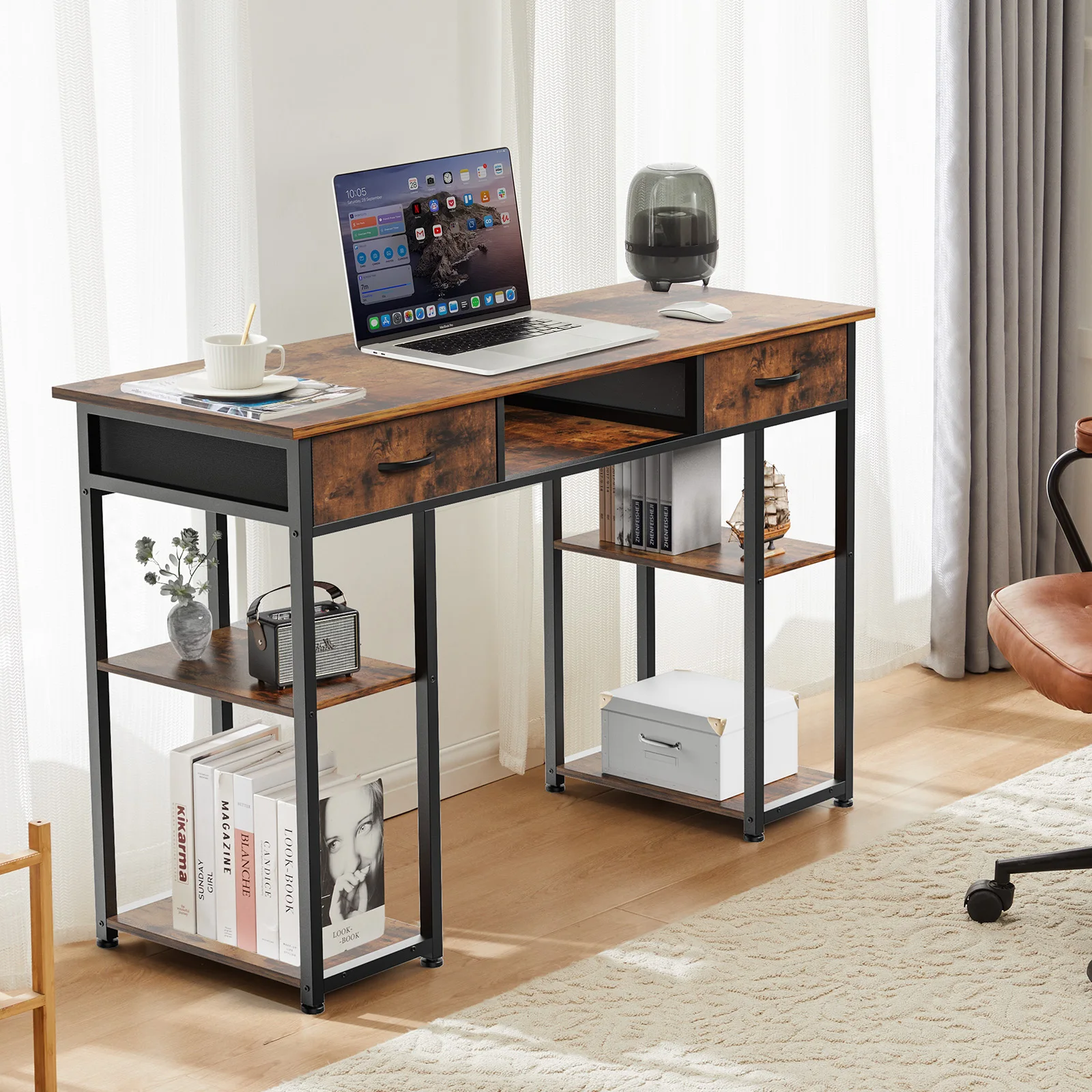
JHK 48 Inch Computer Gaming Desk with Fabric Drawers Storage Shelves Metal Frame Adjustable Feet Table For Bedroom Home Office
If you’re looking for a well-rounded option, the JHK 48 Inch Computer Gaming Desk with Fabric Drawers Storage Shelves Metal Frame Adjustable Feet Table For Bedroom Home Office offers practical storage and a sturdy build.
Frequently asked questions
What is the ideal depth for a 48 inch gaming desk?
The ideal depth is around 24 inches, which provides enough space for a monitor and keyboard while keeping the monitor at a comfortable distance (about an arm’s length). Deeper desks (30 inches) offer more room but may not fit in tight spaces.
Can a 48 inch gaming desk fit a dual monitor setup?
Yes, it can, but it will be tight. With a 48-inch width, you can place two 24-inch monitors side by side, but you’ll have little room for speakers or other items. Consider using monitor arms to free up space.
How do I choose between an L-shaped and a straight 48 inch desk?
A straight desk is simpler and fits against a wall, while an L-shaped desk provides more surface area and is better for corner spaces. If you need extra room for multiple monitors or other equipment, an L-shape may be better, but it requires more floor space.
What is the best material for a durable 48 inch gaming desk?
Solid wood is the most durable but heavy and expensive. MDF with a sturdy metal frame offers a good balance of cost and stability. For heavy setups, look for a desk with a steel frame and a high weight capacity (at least 100 lbs).
