
Blog
Gaming Desk with Outlets: 7 Features That Matter
Buying Guide
Gaming Desk with Outlets: 7 Features That Matter
A gaming desk with outlets is more than a convenience—it’s a game-changer for your setup. Here’s what to look for before you buy.
Why a Gaming Desk with Outlets Is Worth It
If you’re tired of crawling under your desk to plug in a phone charger or struggling with a tangle of power strips, a gaming desk with outlets can simplify your life. Having power right where you need it means fewer cables snaking across your floor and less time spent unplugging and re-plugging devices. It also keeps your gaming area safer by reducing the risk of tripping over cords.
Beyond convenience, these desks often include built-in cable management features that help keep your setup looking clean and professional. Whether you’re a casual gamer or a dedicated streamer, the right desk can make your space more functional and enjoyable.
Key Features to Consider in a Gaming Desk with Outlets
When shopping for a gaming desk with outlets, you’ll want to pay attention to several factors that affect usability and comfort. Here’s a breakdown:
- Number and Placement of Outlets: Look for at least two AC outlets and USB ports. Consider where they are located—ideally, they should be easily accessible without bending or reaching awkwardly.
- Power Surge Protection: A built-in surge protector can safeguard your expensive electronics from voltage spikes. This is especially important if you live in an area prone to storms.
- Cable Management: Features like cable trays, grommets, or channels help keep wires organized and out of sight. A clean setup not only looks better but also makes it easier to clean and maintain.
- Desk Size and Shape: Measure your space and consider your equipment. An L-shaped desk offers more surface area and can fit into corners, while a straight desk might be better for smaller rooms.
- Adjustable Height: Some desks come with adjustable legs or even sit-stand mechanisms, which can improve ergonomics and reduce back strain during long gaming sessions.
Material and Build Quality: What to Look For
The material of your gaming desk affects its durability, appearance, and ease of maintenance. Common materials include:
- Carbon Fiber: Known for its strength and modern look, carbon fiber is lightweight yet sturdy. It’s also resistant to scratches and easy to wipe clean.
- Wood: Offers a classic, warm aesthetic. Solid wood is durable but can be heavy and may require more care. Engineered wood (like MDF) is more affordable but less durable.
- Metal: Often used for frames, metal provides stability and a sleek, industrial look. Look for powder-coated finishes to prevent rust.
When evaluating build quality, check for reinforced joints, sturdy legs, and a weight capacity that accommodates your monitor setup and other gear. A wobbly desk can be distracting and potentially damage your equipment.
Ergonomics: Comfort for Long Gaming Sessions
Your desk should promote good posture and comfort. Consider the following:
Desk Height
The ideal height allows your elbows to rest at a 90-degree angle when your hands are on the keyboard. If you’re taller or shorter than average, an adjustable-height desk can be a lifesaver.
Monitor Placement
Your monitor should be at eye level to avoid neck strain. A desk with a monitor stand or riser can help achieve this. Some desks come with built-in monitor arms, which also free up desk space.
Legroom and Clearance
Make sure there’s enough space under the desk for your legs and that the desk’s design doesn’t obstruct your movement. A cluttered under-desk area can lead to discomfort and reduced circulation.
Style and Aesthetics: Matching Your Space
Your gaming desk is a centerpiece of your gaming room, so it should reflect your personal style. Here are some popular design trends:
- RGB Lighting: Many gaming desks come with LED lights that can be customized to match your setup. This adds a dynamic, immersive feel to your gaming environment.
- Minimalist Designs: Clean lines and neutral colors blend seamlessly into any room, making them versatile choices.
- L-Shaped Desks: These provide ample surface area and can define a dedicated gaming zone, especially in corners.
When choosing a style, think about how it will look with your existing furniture and décor. A desk that clashes with the rest of the room might feel out of place.
Extra Features: Shelves, Hooks, and More
Beyond power and cable management, many gaming desks include additional features that enhance functionality:
- Shelves: Built-in shelves or monitor stands can elevate your screen and provide storage for games, controllers, or décor.
- Hooks: Side hooks are perfect for hanging headphones, bags, or jackets, keeping them within reach but off the desk surface.
- Cup Holders: A built-in cup holder prevents spills and keeps your drink secure, so you don’t have to worry about accidental knocks.
- Mouse Pad Surface: Some desks include a dedicated mouse pad area or a full-surface mouse pad that enhances tracking and comfort.
These extras can add significant convenience, but prioritize the features you’ll actually use. Don’t pay extra for bells and whistles you don’t need.
Making the Right Choice: Final Tips
Before you make a purchase, consider the following:
- Set a Budget: Gaming desks with outlets range from budget-friendly to high-end. Determine what you’re willing to spend and stick to it.
- Read Reviews: Look for feedback from other gamers about stability, build quality, and customer service. This can reveal issues not apparent in product descriptions.
- Check for Compatibility: Ensure the desk fits your room dimensions and that the outlets are compatible with your region’s voltage.
- Consider Assembly: Some desks require complex assembly. If you’re not handy, look for desks with simple assembly or pre-assembled options.
Remember, the best gaming desk for you is one that meets your specific needs and fits your space. Take your time to compare options and choose wisely.
For more insights into setting up an ergonomic workspace, check out this OSHA guide on ergonomics.
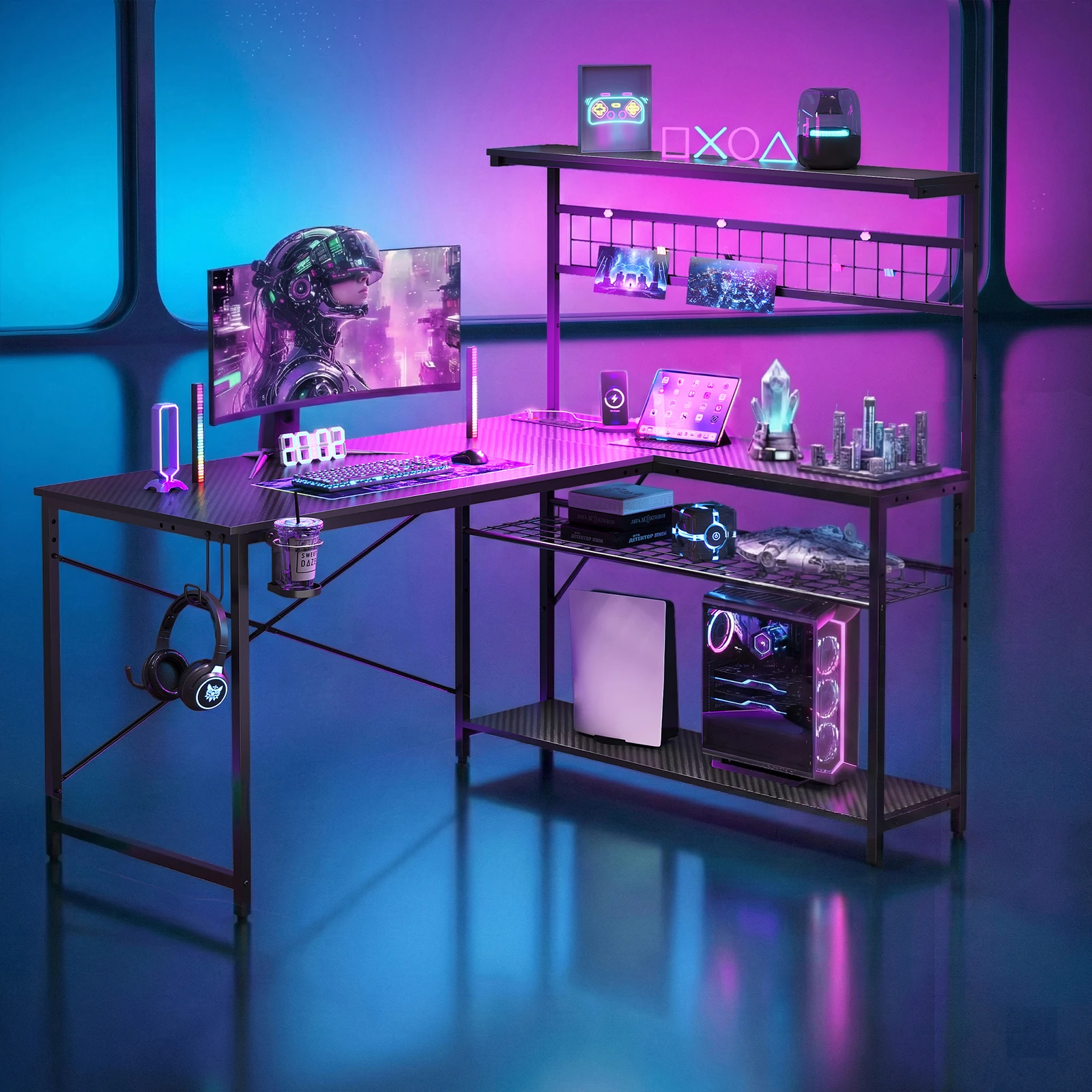
NOST&HOST 51″ L-Shaped Gaming Desk Power Outlets LED Lights 4 Tier Shelves Hooks Cup Holder Home Office Carbon Fiber Black
For a ready-made solution, the NOST&HOST 51 L-Shaped Gaming Desk Power Outlets LED Lights 4 Tier Shelves Hooks Cup Holder Home Office Carbon Fiber Black checks many boxes with its integrated power, lighting, and storage.
Frequently asked questions
Are gaming desks with outlets safe to use?
Yes, when they have proper surge protection and meet safety standards. Always look for UL or ETL certification to ensure the electrical components are safe.
How many outlets do I need on a gaming desk?
It depends on your setup. Typically, 2-3 AC outlets and at least 2 USB ports are sufficient for most gamers, but if you have many devices, consider a desk with more.
Can I add outlets to an existing desk?
Yes, you can use power strips with cable clips or install a power module that attaches to the desk. However, a built-in solution is often cleaner and more integrated.
What is the best material for a gaming desk?
It depends on your priorities. Carbon fiber is durable and modern, wood offers a classic look, and metal frames provide stability. Consider your budget and style preferences.
