
Blog
The Ultimate Adjustable Height Desk Buying Guide
Buying Guide
Your Complete Adjustable Height Desk Buying Guide
An adjustable height desk is more than a trend—it’s a smart investment in your health and productivity. But with so many options, how do you pick the right one?
Why Choose an Adjustable Height Desk?
The modern workspace is evolving, and the adjustable height desk sits at the center of that change. Prolonged sitting has been linked to various health issues, including back pain and poor posture. By allowing you to alternate between sitting and standing, these desks promote movement throughout the day, which can boost energy and focus.
But it’s not just about health. An adjustable desk can also improve productivity. When you’re comfortable, you’re more likely to stay engaged in your work. Plus, the flexibility to change positions can give you a fresh perspective, both mentally and physically.
Key Features to Look For in an Adjustable Height Desk
Not all adjustable desks are created equal. Here are the essential features to consider:
Motor and Lifting System
- Single vs. dual motors: Dual motors offer smoother and faster adjustments, especially for heavier loads.
- Noise level: Look for desks that operate quietly, so you don’t disturb others (or yourself) when adjusting.
- Speed: A lifting speed of about 1 inch per second is standard, but faster is better if you adjust often.
Height Range and Presets
- Range: Ensure the desk fits your height. Most desks range from 24 to 50 inches, but check your specific needs.
- Memory presets: Save your preferred sitting and standing heights for one-touch adjustment.
Desktop Size and Material
- Size: Consider your equipment. A 48×24 inch surface suits basic setups, while 60×30 inches gives more room for multiple monitors.
- Material: Solid wood looks premium but is heavy; MDF or particleboard is lighter and budget-friendly. Consider durability and ease of cleaning.
Stability and Weight Capacity
- Frame: Steel frames offer better stability. Check for wobble at higher heights.
- Weight capacity: Most desks hold 150-300 lbs. Make sure it can support your monitors, accessories, and anything else.
Ergonomics: The Science Behind Sit-Stand Desks
Ergonomics is the science of designing workspaces to fit the user, reducing strain and improving comfort. The study of ergonomics shows that alternating between sitting and standing can reduce the risk of musculoskeletal disorders. For optimal ergonomics, follow these tips:
- Monitor height: The top of your screen should be at or slightly below eye level.
- Keyboard placement: Your elbows should be at a 90-degree angle, with wrists straight.
- Posture: Keep your shoulders relaxed and back straight, whether sitting or standing.
Remember, an adjustable height desk is a tool, but you still need to use it correctly to reap the benefits.
How to Set Up Your Adjustable Height Desk for Maximum Comfort
Setting up your desk properly is crucial. Here’s a step-by-step guide:
- Determine your ideal heights: For sitting, your feet should rest flat on the floor, and your thighs parallel to the ground. For standing, your elbows should be at 90 degrees when typing.
- Adjust the desk: Use the controls to set the desk to your desired heights, and save them as presets if available.
- Position your monitor: Place it at arm’s length, with the top of the screen at eye level.
- Arrange your keyboard and mouse: Keep them close, with your wrists straight.
- Set a timer: Alternate between sitting and standing every 30-60 minutes.
It may take some trial and error to find your perfect settings, but it’s worth the effort.
Maintenance and Durability: Keeping Your Desk in Top Shape
Adjustable height desks are built to last, but a little care goes a long way. Here are some maintenance tips:
- Clean regularly: Use a soft cloth and mild cleaner. Avoid harsh chemicals that can damage the surface.
- Check cables: Ensure cables are not pinched or strained during height changes.
- Tighten bolts: Periodically check and tighten any loose screws or bolts.
- Lubricate moving parts: If you notice any squeaking, apply a silicone-based lubricant to the lift columns.
With proper care, your desk can serve you for many years.
Space and Style: Integrating an Adjustable Desk into Your Home Office
An adjustable height desk isn’t just functional; it can also enhance your home office aesthetic. Consider the following:
- Size and layout: Measure your space to ensure the desk fits comfortably. Consider the depth and whether you need a corner desk.
- Style: Choose a color and material that complements your existing decor. From sleek black to natural wood, there’s a style for every taste.
- Cable management: Look for desks with built-in grommets or trays to keep cords tidy.
- Accessories: Add a monitor arm, under-desk keyboard tray, or anti-fatigue mat to enhance comfort.
Your desk should be a seamless part of your workspace, not an eyesore.
Budgeting for an Adjustable Height Desk: What to Expect
Prices for adjustable height desks vary widely. Here’s a general breakdown:
- Budget ($200-$400): Basic models with manual or single-motor lifts. These are great for light use.
- Mid-range ($400-$800): More features like dual motors, presets, and sturdier frames. This is the sweet spot for most users.
- Premium ($800+): High-end materials, advanced controls, and exceptional stability. Ideal for professionals or those who spend long hours at their desk.
Remember, an adjustable height desk is an investment in your health and productivity. It’s worth spending a bit more for quality.
Final Thoughts: Making the Right Choice
Choosing an adjustable height desk is a personal decision. Consider your health needs, workspace, and budget. Read reviews, compare features, and if possible, test a desk in person. The right desk can transform your workday, making you more comfortable and focused.
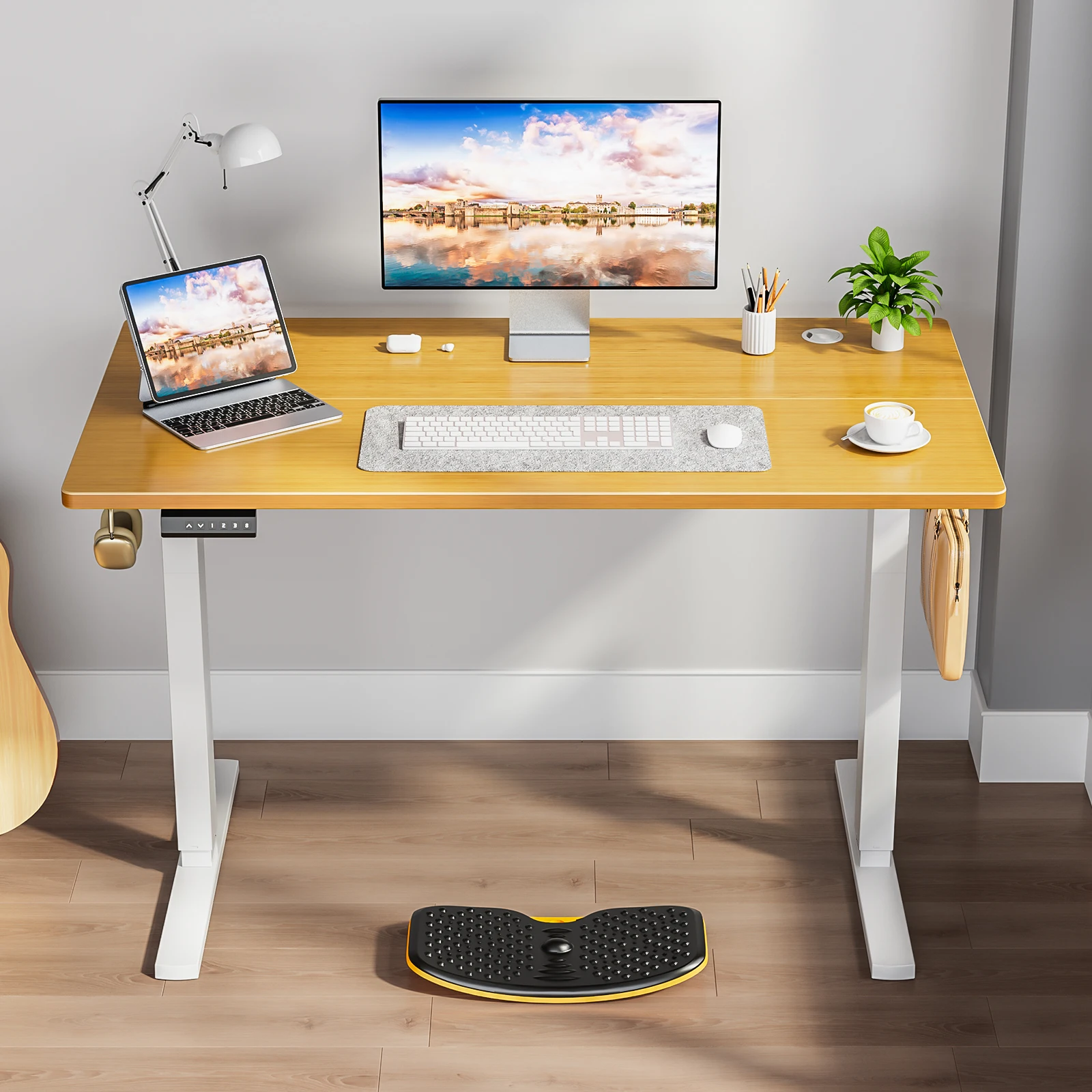
If you’re looking for a reliable option, the JHK Electric Adjustable Height Standing Computer Desk offers a smooth, quiet motor, a sturdy frame, and ample workspace. It’s a solid choice for any home office.
JHK Electric Adjustable Height Standing Computer Desk Ergonomic Sit Stand Up Down Computer Table Workstation For Home Office
For a reliable and ergonomic option, consider the JHK Electric Adjustable Height Standing Computer Desk, designed with a quiet motor and sturdy frame to support your workday.
Frequently asked questions
What is the ideal height range for an adjustable height desk?
The ideal height range depends on your height and whether you’re sitting or standing. For sitting, your desk should be about 20-28 inches high to align with your elbows. For standing, it should be around 38-46 inches. Most adjustable desks have a range of 24-50 inches to accommodate different users.
Are adjustable height desks worth the investment?
Yes, if you spend long hours at your desk. They can improve posture, reduce back pain, and increase productivity. Over time, the health benefits and comfort they provide make them a worthwhile investment.
How often should I alternate between sitting and standing?
Experts recommend alternating every 30-60 minutes. Start with a 1:3 standing-to-sitting ratio and adjust based on your comfort. The key is to keep moving regularly throughout the day.
Can I use a monitor arm with an adjustable height desk?
Absolutely. A monitor arm can help you position your screen at the correct height, which is especially important when you switch between sitting and standing. Just ensure the desk’s weight capacity can handle the added equipment.
