
Blog
The Ultimate Computer Desk Buying Guide
Buying Guide
Your Guide to Choosing a Computer Desk
Choosing a computer desk is more than picking a surface for your monitor; it’s about creating a space that supports your work, health, and style. This guide walks you through every consideration to help you find a desk that fits your life perfectly.
Why Your Computer Desk Matters
Your computer desk is where you spend a significant portion of your day, so it directly impacts your productivity, comfort, and even your physical well-being. A poorly chosen desk can lead to neck strain, back pain, and a cluttered workspace, while a well-thought-out one can boost your efficiency and make work feel less like a chore. Think of your desk as the foundation of your home office – it deserves careful attention.
Beyond health, a desk also sets the tone for your room. Whether you’re a gamer, a remote worker, or a student, your desk should reflect your personality and support your workflow. In this guide, we’ll break down the key factors to consider, from size and shape to materials and ergonomics, so you can make an informed decision.
Ergonomics: Your Body Will Thank You
Ergonomics is the science of designing your workspace to fit you, not the other way around. When it comes to computer desks, proper ergonomics can prevent repetitive strain injuries and chronic pain. The ideal desk height allows your elbows to rest at a 90-degree angle when your hands are on the keyboard, and your monitor should be at eye level to avoid neck craning.
If you’re on the taller or shorter side, you might need an adjustable desk. Many modern desks come with height-adjustable features, either manual or electric, allowing you to alternate between sitting and standing. This not only improves circulation but also keeps you more alert. Even if you don’t opt for a sit-stand desk, consider a desk that accommodates a keyboard tray or monitor arm to fine-tune your setup.
Key Ergonomic Features to Look For
- Height adjustability (manual or electric)
- Ample legroom (at least 24 inches deep and 28 inches wide)
- Rounded edges to avoid pressure on wrists
- Stability – a wobbly desk is a distraction
Remember, the best desk is one that you can adjust to your body’s needs. Don’t compromise on this – your future self will thank you.
Size and Shape: Fit Your Space and Needs
Before you fall in love with a desk, measure your available space. A computer desk should fit comfortably in your room without making it feel cramped. Also, consider how you’ll use it: do you need space for a dual-monitor setup, a laptop, books, or a printer? Make a list of what you’ll place on the desk and measure those items to ensure they’ll fit.
The shape of the desk matters too. A rectangular desk is the classic choice, offering a straightforward work surface. If you have a corner that’s underutilized, a corner desk can maximize space and provide a larger surface. For small rooms, a compact desk or a wall-mounted option might be ideal. Think about the flow of your room – you don’t want a desk that blocks pathways or makes the space feel tight.
Common Desk Shapes
- Rectangular: versatile, fits most rooms
- Corner: uses unused space, offers large surface
- L-shaped: provides separate zones for different tasks
- Compact: perfect for small apartments or bedrooms
Remember, a desk that’s too small will frustrate you, but one that’s too large can overwhelm a room. Strike a balance based on your actual needs.
Materials and Durability: What’s Under the Surface
The material of your computer desk affects not only its look but also its durability and maintenance. Solid wood desks are sturdy and timeless, but they can be heavy and expensive. Engineered wood, like MDF or particleboard, is more affordable and lighter, but it may be less durable if not sealed properly. Metal desks are sleek and modern, often with a high weight capacity, but they can be cold and noisy. Glass desks look elegant but require frequent cleaning and may not be suitable for heavy equipment.
Consider your lifestyle: if you eat at your desk or have kids, a scratch-resistant and easy-to-clean surface is a priority. If you’re a minimalist, a simple wooden top might be perfect. Also, think about the environment – some materials are more sustainable than others, like bamboo or reclaimed wood.
Material Pros and Cons
- Solid wood: durable, classic, but heavy and pricey
- MDF/Particleboard: budget-friendly, but can warp
- Metal: strong, modern, but may scratch floors
- Glass: stylish, but fragile and shows smudges
Ultimately, choose a material that fits your aesthetic and practical needs. A desk is an investment – you want it to last.
Storage and Cable Management: Keep It Tidy
A clutter-free desk promotes a clear mind. Built-in storage, such as drawers, shelves, or a hutch, can keep office supplies, files, and personal items within reach but out of sight. If you have a lot of paperwork, a desk with a filing drawer is a game-changer. For those who work with multiple devices, cable management is crucial – look for desks with grommet holes, cable trays, or built-in USB ports to keep wires organized.
If your desk doesn’t have built-in storage, you can always add separate pieces like a rolling cart or a bookshelf nearby. But remember, the more integrated the storage, the more streamlined your workspace will be.
Storage Options to Consider
- Drawers: for small items and stationery
- Shelves: for books or decorative items
- Cable trays: to hide and route wires
- Keyboard trays: to free up surface space
Think about what you need to store and how often you access it. The goal is to have everything you need within arm’s reach without visual chaos.
Style and Aesthetics: Make It Yours
Your computer desk is a piece of furniture that contributes to the overall vibe of your room. Whether your decor is modern, rustic, industrial, or minimalist, there’s a desk to match. The finish, color, and design details – like tapered legs or a sleek edge – can elevate your space. Remember, you’ll be looking at this desk every day, so choose something that makes you feel good.
Don’t be afraid to mix and match. A wooden desk can warm up a modern room, while a metal frame can add an industrial touch to a traditional space. Your desk should complement your existing furniture, not clash with it.
Popular Desk Styles
- Modern: clean lines, minimal details
- Industrial: metal and wood combination
- Rustic: distressed wood, natural edges
- Scandinavian: light wood, simple design
Take a look at your room and assess what style will seamlessly integrate. A desk that matches your aesthetic will make you more inclined to sit down and work.
Budget and Value: Smart Spending
Computer desks range from under $50 to over $1000. While it’s tempting to go cheap, remember that a desk is a long-term investment. A flimsy desk might wobble, sag, or fall apart within a year. On the other hand, you don’t need to break the bank – there are plenty of quality desks at mid-range prices that offer durability and style.
When setting your budget, consider the features that matter most to you: adjustability, material, storage, and design. Allocate more money to the features that will have the biggest impact on your daily comfort. Also, factor in the cost of accessories like a chair, monitor stand, or cable management tools.
One piece of advice: read reviews. Real user experiences can reveal issues with stability, assembly, or customer service that you wouldn’t know otherwise. Websites like Wikipedia’s article on computer desks can also give you a historical perspective on desk design.
Final Thoughts: The Right Desk for You
Choosing a computer desk is a personal decision. There’s no one-size-fits-all solution. By considering ergonomics, size, materials, storage, style, and budget, you can narrow down the options and find a desk that truly works for you. Remember to measure your space, assess your needs, and take your time – a good desk will serve you for years.
We hope this guide has been helpful. As you start your search, keep an open mind and don’t settle for less than you deserve. Your perfect desk is out there.
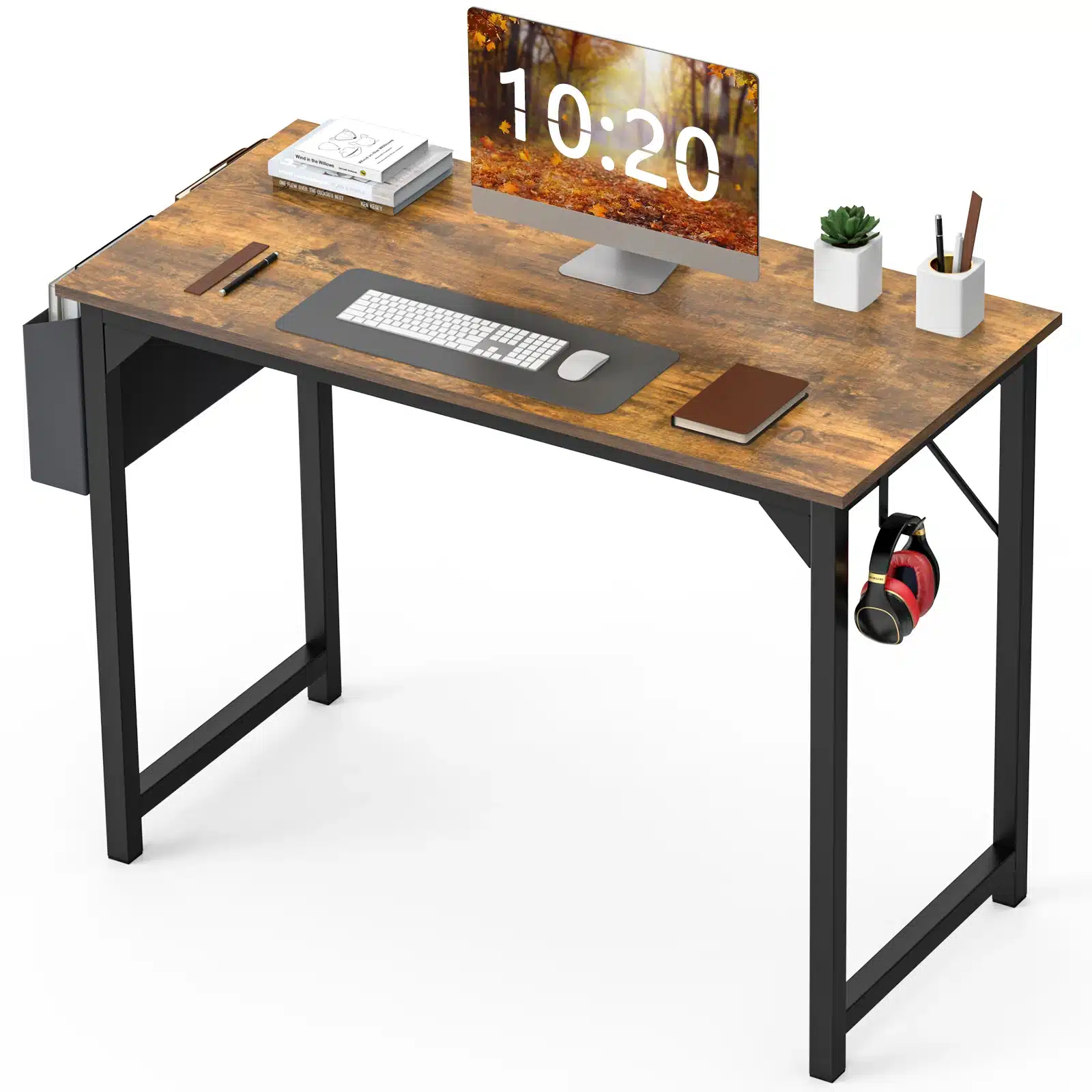
FCJ Modern Minimalist Style Computer Desk Simple Wooden Design Adjustable Cooling for Home Office Bedroom Living Room School Use
If you’re looking for a simple, functional desk that fits a modern minimalist aesthetic, the FCJ Modern Minimalist Style Computer Desk offers a clean wooden design with an adjustable cooling feature, making it a solid choice for home offices and bedrooms.
Frequently asked questions
What is the ideal height for a computer desk?
The ideal height for a computer desk is typically between 28 and 30 inches, but the best height depends on your own body. When seated, your elbows should be at a 90-degree angle, and your feet should rest flat on the floor. Adjustable desks allow you to customize the height for maximum comfort.
How do I choose the right size desk for my room?
Measure your room and the space where you plan to place the desk. Consider the dimensions of your computer setup and any other items you need on the desk. A good rule is to leave at least 24 inches of depth for a monitor and keyboard, and ensure there’s enough clearance for a chair and movement. A corner desk can be a great space-saver.
What materials are best for a computer desk?
Solid wood is durable and classic, but it can be heavy and expensive. MDF or particleboard is budget-friendly but may not last as long. Metal is strong and modern, while glass looks sleek but is fragile. Choose a material that fits your budget, style, and maintenance preferences.
Do I need a cable management system for my desk?
If you have multiple devices, cable management is highly recommended to keep your workspace organized and safe. Look for desks with grommet holes, cable trays, or built-in USB ports. If your desk doesn’t have these, you can use cable clips or sleeves to tidy up wires.
