
Blog
The Ultimate Guide to Ergonomic Standing Desks
Buying Guide
Your Complete Ergonomic Standing Desk Buying Guide
An ergonomic standing desk can transform your workday, but with so many options, how do you pick the right one? This guide breaks down everything you need to know.
Why Choose an Ergonomic Standing Desk?
Sitting all day is tough on your body. An ergonomic standing desk lets you alternate between sitting and standing, which can reduce back pain, boost energy, and improve focus. Studies show that standing more can also help regulate blood sugar and burn extra calories. But not all standing desks are created equal—the ergonomic benefits depend on the design and how you use it.
Key Features to Look For
Height Adjustability
The whole point is to match the desk to your body, so look for a wide height range that fits your sitting and standing elbow height. A good rule: when standing, your elbows should be at 90 degrees, and your monitor at eye level.
Stability
A wobbly desk is not only annoying but also unsafe for your equipment. Check for a sturdy steel frame and a weight capacity that can handle your monitor, laptop, and other gear. Read user reviews about stability at higher heights.
Ease of Adjustment
Whether you prefer a manual crank or an electric motor, the adjustment should be smooth and quiet. If you’ll be switching positions often, electric presets are a game-changer.
Health Benefits of Alternating Positions
Our bodies are made to move. Using an ergonomic standing desk encourages micro-movements throughout the day. Research from the Wikipedia page on standing desks highlights potential benefits like reduced risk of obesity and cardiovascular disease. But remember, standing still for hours isn’t ideal either—the goal is to change posture regularly.
- Reduces lower back pain by relieving spinal pressure.
- Improves mood and energy levels.
- Increases productivity and focus.
How to Set Up Your Ergonomic Standing Desk
Even the best desk won’t help if it’s set up wrong. First, adjust the height so your wrists are straight while typing. Your monitor should be at arm’s length, with the top of the screen at eye level. Use a mat to reduce foot fatigue, and keep frequently used items within easy reach. Alternate between sitting and standing every 30 to 60 minutes.
Electric vs. Manual vs. Converter
Electric desks offer effortless height changes with memory presets, but they cost more. Manual crank desks are budget-friendly and reliable, but adjusting takes more effort. Converters sit on your existing desk and are a great way to try standing without replacing furniture. Think about your budget, frequency of changes, and how much you value convenience.
Choosing the Right Size and Shape
Measure your space and consider the desk’s depth and width. A larger surface is great for dual monitors, but if you’re tight on space, a compact corner desk might be better. Also, think about cable management—look for grommets or under-desk trays to keep cords tidy.
Durability and Warranty
An ergonomic standing desk is an investment. Check the build quality, materials, and warranty. A longer warranty (5 years or more) is a sign of confidence. Read customer reviews about long-term performance, especially the lifting mechanism.
Top Ergonomic Standing Desk Picks
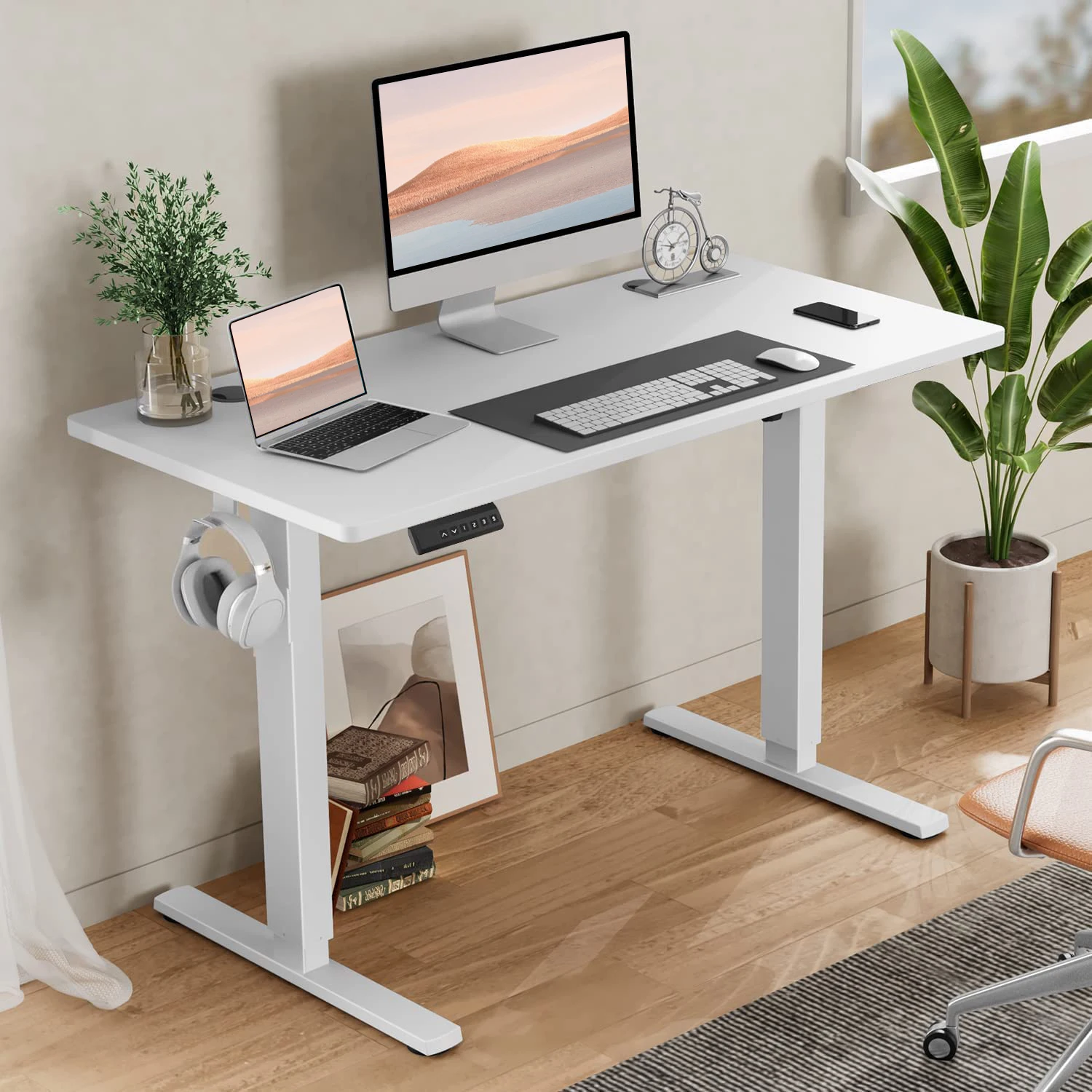
While there are many options, the FCJ Ergonomic Height Adjustable Computer Desk stands out for its sturdy construction, smooth electric lift, and generous workspace. It’s a solid choice for those who want reliability without breaking the bank. Remember to pair it with a good chair and monitor arm for the ultimate setup.
FCJ Ergonomic Height Adjustable Computer Desk Comfortable Standing or Seated Workstation
If you’re looking for a reliable and affordable option, the FCJ Ergonomic Height Adjustable Computer Desk offers smooth electric adjustments and a sturdy build to support your healthy work habits.
Frequently asked questions
How often should I use the standing function?
Start with 20-30 minutes of standing per hour and gradually increase. Listen to your body and alternate as needed.
Are standing desks good for back pain?
Yes, many users report reduced back pain when they alternate between sitting and standing, as it relieves pressure on the spine.
Can I use a standing desk with a treadmill?
Absolutely. Pairing a standing desk with an under-desk treadmill allows you to walk at a slow pace while working, boosting activity.
What is the ideal desk height for standing?
Stand with your arms relaxed at your sides, elbows bent at 90 degrees. The desk surface should be at your elbow height.
