
Blog
The Best Bedside Table with USB for Charging
Buying Guide
How to Choose a Bedside Table with USB
A bedside table with USB charging is a small upgrade that makes a big difference in daily convenience. Whether you’re reading in bed or scrolling before sleep, having a dedicated spot to charge your phone without hunting for an adapter is a game-changer.
Why You Need a Bedside Table with USB
Modern life means our devices are always nearby. A bedside table with USB eliminates the need for bulky power strips or long cords snaking across the floor. It keeps your phone, tablet, or e-reader charged and within arm’s reach, reducing clutter and morning scramble for battery. Plus, it adds a clean, integrated look to your nightstand setup.
Think about the last time you woke up to a dead phone. A USB-equipped table solves that problem elegantly. Many models now include fast-charging ports or even wireless pads, so you can simply place your device on the surface and let it power up overnight.
Key Features to Look For
USB Port Types and Power Output
Not all USB ports are equal. Look for USB-A and USB-C ports that support fast charging (2.4A or higher). USB-C is becoming standard for newer phones and laptops, offering faster data and power delivery. Some tables also include a dedicated wireless charging pad, which is convenient if your phone supports Qi charging.
Cable Management
Hidden cable channels, rear cutouts, or built-in cord organizers keep wires tidy and prevent them from dangling messily. A table with a built-in power strip or surge protector adds extra functionality. Check that the power cord is long enough to reach your outlet without an extension.
Storage Options
Consider what you need to store beside your bed: books, glasses, a water bottle, maybe a tablet. Drawers hide clutter, while open shelves offer easy access. A combination of both works well. Some tables have a top drawer for small items and a lower shelf for larger ones.
Size and Placement Considerations
Measure your bed height and the available floor space. The table top should be roughly level with your mattress (within a couple of inches) for easy reach. Allow at least 2-3 inches on each side for fitting into tight corners. A width of 18–24 inches is standard, but smaller rooms may require a narrower model.
If you have an adjustable bed or a platform bed, ensure the table’s height can accommodate. Some tables come with adjustable feet to level on uneven floors.
Materials and Durability
Solid wood like oak or walnut offers timeless appeal and durability. Engineered wood with a veneer is lighter and more affordable but may not last as long. Metal frames add an industrial touch. Consider the finish: matte surfaces hide fingerprints, while glossy ones are easier to clean.
A table with a USB charging station should have proper ventilation for the electronics. Avoid placing it in direct sunlight or near heat sources, as this can degrade the charging components.
Style and Design Choices
Your bedside table should complement your bedroom decor. Mid-century modern styles feature tapered legs and warm wood tones. Farmhouse designs often include a distressed finish and metal hardware. Minimalist tables have clean lines and often integrate the charging ports discreetly.
Think about the overall aesthetic: do you want a statement piece or something that blends in? A table with a USB port can be both functional and stylish, with many options available in various colors and shapes.
Installation and Setup Tips
Most bedside tables require some assembly. Look for clear instructions and included tools. If you’re not handy, consider a model that comes pre-assembled or has a simple design. Plug the power cord into a wall outlet and route cables through any management channels. Test the USB ports with your devices to ensure they work correctly.
For safety, avoid overloading the power strip or using extension cords. If the table has a wireless charger, make sure your phone case is compatible (cases thicker than 3mm may interfere).
Top Considerations for Tech-Savvy Users
If you own multiple devices, look for a table with multiple USB ports (at least two) and perhaps an AC outlet for a lamp or alarm clock. Some advanced models offer smart features like Bluetooth speakers or voice assistant integration. However, the core function remains charging, so prioritize port quality and reliability.
For more on USB standards, visit Wikipedia’s USB page.
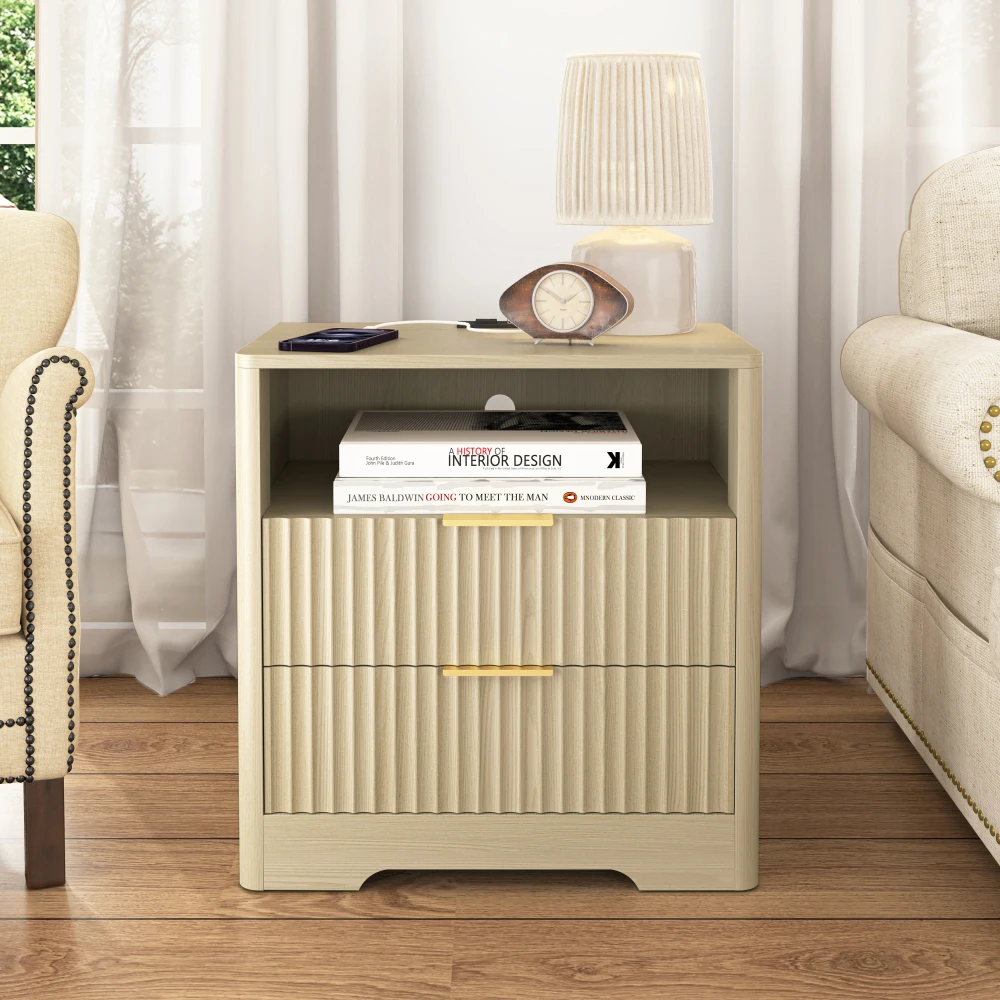
Nightstand with USB Charging Station – Wood Bedside Table with Storage Cabinet
For a reliable option, consider the Nightstand with USB Charging Station – Wood Bedside Table with Storage Cabinet, which combines ample storage with fast-charging USB ports.
Frequently asked questions
Can I use a bedside table with USB for fast charging?
Yes, many models support fast charging (2.4A or higher). Check the specifications for output amperage. USB-C ports often support Power Delivery for even faster charging.
Is it safe to leave devices charging overnight on a USB nightstand?
Generally yes, if the table has built-in surge protection and the USB ports are certified. Modern devices have overcharge protection. However, avoid covering the charging area with fabrics that could trap heat.
Do I need a special outlet for a bedside table with USB?
No, it plugs into a standard wall outlet. Some tables have a built-in power cord that you can plug directly. Ensure the cord is long enough to reach your outlet without stretching.
Can I replace the USB module if it stops working?
It depends on the table design. Some tables have removable USB modules that can be replaced, while others are integrated. Check the manufacturer’s warranty and support options.
