
Blog
Computer Desk with Drawers: 7 Features to Look For
Buying Guide
7 Features to Look For in a Computer Desk with Drawers
When you’re shopping for a computer desk with drawers, it’s easy to get overwhelmed by the sheer number of options. But focusing on a few key details can make all the difference in comfort and functionality.
Why Choose a Computer Desk with Drawers?
In a home office, clutter is the enemy of productivity. A computer desk with drawers offers a dedicated place for your supplies, paperwork, and personal items, keeping your workspace tidy and your mind clear. Unlike a bare desk, drawers provide hidden storage that helps you maintain a clean aesthetic while having everything you need within arm’s reach.
Beyond organization, drawers add a layer of security for sensitive documents or expensive gadgets. Whether you’re working from home full-time or just need a spot for occasional tasks, a desk with drawers can adapt to your routine.
Key Features to Prioritize
Storage Capacity and Layout
Think about what you’ll store. If you have files, look for a desk with a file drawer that accommodates hanging folders. For general supplies, smaller drawers with dividers can keep pens, notes, and cables sorted. Some desks combine both, offering versatility. Measure your items and compare drawer dimensions to ensure a good fit.
Material and Build Quality
The material affects durability and style. Solid wood desks are sturdy and timeless but heavier and pricier. Engineered woods like MDF with a veneer are lighter and budget-friendly, but check the thickness and finish for quality. Metal frames add stability, especially for larger desks. Look for smooth drawer glides—metal slides with ball bearings are usually the smoothest.
Ergonomics and Comfort
Your desk should support healthy posture. The ideal height is around 28-30 inches, but your chair and body proportions matter. If you’re taller or shorter, consider an adjustable desk or add a footrest. Make sure the desk provides enough legroom—drawers on both sides can restrict space. Also, the position of your monitor and keyboard should allow for a neutral wrist angle. A desk that’s too shallow or deep can cause strain.
Size and Space Considerations
Measure your room before you buy. A computer desk with drawers can range from compact 40-inch models to sprawling 70-inch workstations. Leave at least 24 inches of walking space behind your chair. If you have a small office, look for a desk with a hutch or vertical storage to maximize space. For larger rooms, a U-shaped or L-shaped desk might offer more surface area, but make sure it doesn’t overpower the room.
Style and Aesthetics
Your desk is often the centerpiece of your office. Choose a style that reflects your taste and complements your decor. Modern desks feature clean lines and minimal hardware, while traditional designs have ornate details and rich wood tones. Color matters too—dark woods feel formal, while white or light woods brighten a space. If you’re open to customization, some desks allow you to select finishes or hardware.
Assembling and Maintaining Your Desk
Most desks come unassembled. Read reviews to gauge assembly difficulty. Look for desks with clear instructions and labeled parts. A power drill can speed up the process. Once assembled, maintain your desk by dusting regularly and tightening screws periodically. Use coasters for drinks and avoid harsh cleaners. For wood surfaces, a gentle furniture polish can keep the finish looking new.
Additional Features Worth Considering
- Wireless charging: Built-in charging pads for your phone or mouse reduce cable clutter.
- Cable management: Grommets and trays keep cords organized and out of sight.
- Adjustable shelves: Some desks come with shelves that you can reposition to fit your gear.
- Locking drawers: For security, especially if you have children or roommates.
- Keyboard tray: A pull-out tray can save surface space and improve ergonomics.
Remember, the best desk is one that fits your specific needs. Take your time, measure, and think about your daily workflow. A thoughtful investment will pay off in comfort and productivity.
For more insights on office organization, you might find this article on ergonomics helpful.
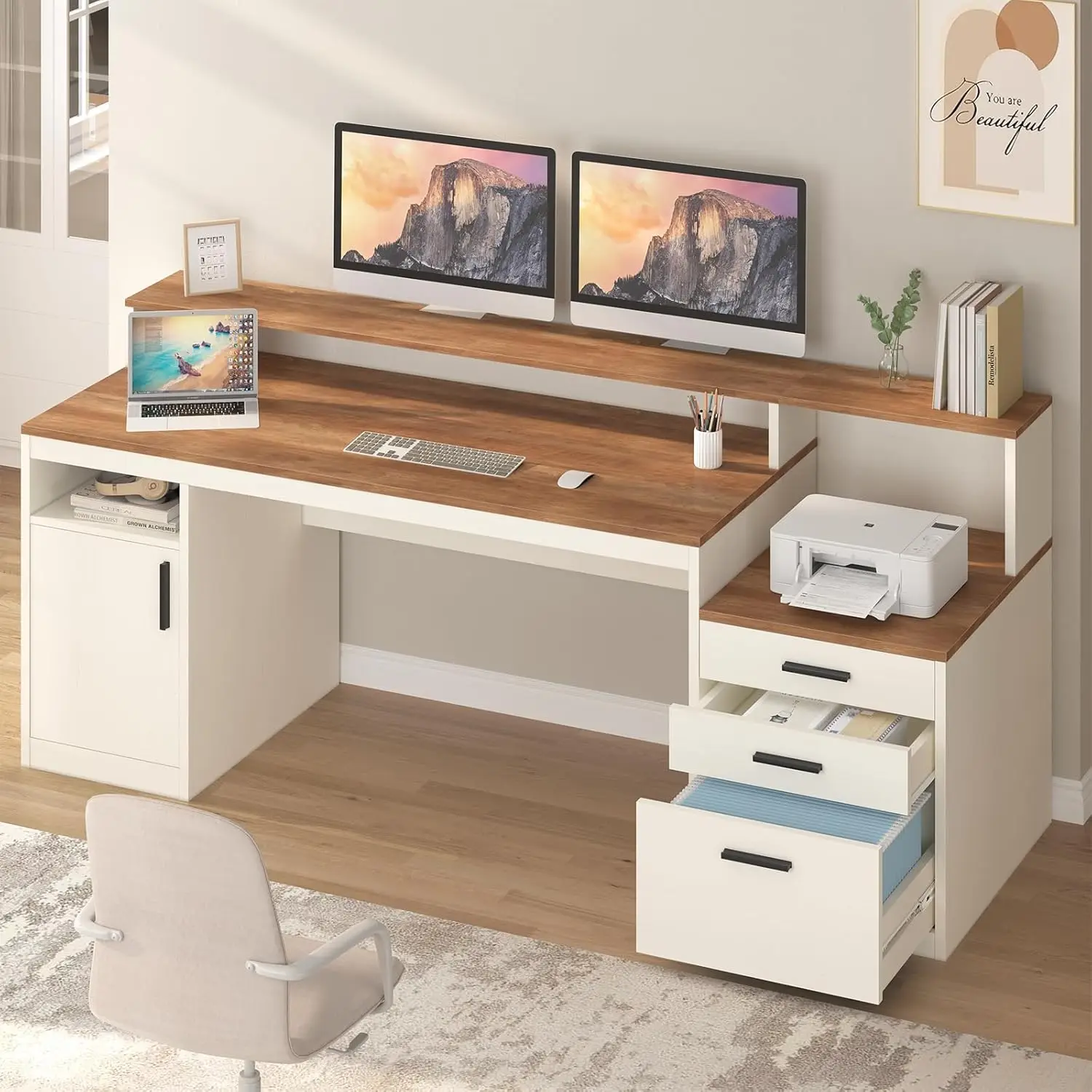
65 Inch Computer Desk with 3 Drawers & Storage Shelves, Executive Desk with File Drawer & Cabinet, Home Office Desk, Customized
If you’re looking for a versatile option that combines ample storage with a sturdy build, the 65 Inch Computer Desk with 3 Drawers & Storage Shelves offers a practical solution that many find fits their needs well.
Frequently asked questions
What is the standard height for a computer desk with drawers?
The standard height is around 28 to 30 inches, which suits most adults. However, your chair height and personal proportions matter. If you’re taller or shorter, consider an adjustable desk or add a footrest to achieve optimal ergonomics.
How much storage do I need in a desk with drawers?
It depends on your work habits. If you deal with a lot of paperwork, a file drawer is essential. For general supplies, two or three smaller drawers may be enough. Assess what you need to store daily and choose a desk with a layout that matches.
Are desks with drawers more expensive than plain desks?
Generally, yes, because they require more materials and hardware. However, prices vary widely based on material, brand, and features. You can find affordable options in engineered wood, while solid wood desks will cost more. Consider the value of built-in storage versus buying a separate filing cabinet.
Can I assemble a computer desk with drawers myself?
Most desks are DIY assembly, but difficulty varies. Look for desks with detailed instructions and pre-drilled holes. Some have fewer parts and take under an hour. If you’re not handy, consider hiring a professional or choosing a desk with a simpler design.
