
Blog
Corner Computer Desk with Drawer: A Buying Guide
Buying Guide
Find Your Ideal Corner Computer Desk with Drawer
A corner computer desk with drawer is a smart solution for maximizing your workspace, especially in smaller rooms. This guide will help you navigate the options and choose the right one for your needs.
Why Choose a Corner Computer Desk with Drawer?
A corner computer desk with drawer offers a practical way to utilize often-unused corners of a room. By fitting snugly into a corner, it creates a dedicated work area without consuming valuable floor space. The built-in drawer provides convenient storage for office supplies, documents, or personal items, keeping your desk surface clutter-free.
This type of desk is particularly beneficial for small apartments, home offices, or shared living spaces where every square foot counts. It also allows you to create a cozy nook that separates work from leisure, which can enhance focus and productivity.
Key Features to Consider
When shopping for a corner computer desk with drawer, several features can significantly impact your satisfaction. Here are the most important ones to evaluate:
- Dimensions and Shape: Measure your available corner space and consider the desk’s footprint. L-shaped desks are common, but some designs are more compact. Ensure the desk fits comfortably without obstructing walkways or doorways.
- Drawer Size and Functionality: Check the drawer’s dimensions and how smoothly it slides. Look for sturdy glides and a handle that is comfortable to grip. A lockable drawer can be a plus if you need to secure sensitive items.
- Material and Build Quality: The material affects durability, weight, and appearance. Solid wood is sturdy but heavier and more expensive. MDF or particleboard with a laminate finish is budget-friendly and easy to clean. Metal frames add stability.
- Ergonomics: The desk height should allow your arms to rest comfortably at a 90-degree angle when typing. If the desk is too high or low, you might need an adjustable chair or footrest. Also, consider monitor placement to avoid neck strain.
- Cable Management: Look for built-in grommets or clips to route cables neatly. A cluttered desk can be distracting and make cleaning difficult.
- Additional Features: Some desks come with extra shelves, a CPU holder, or a cup holder. These can add convenience but may also increase the price. Prioritize what you truly need.
Material and Durability: What Works Best?
The material of your corner computer desk with drawer affects its longevity and maintenance. Here’s a breakdown of common options:
Wood
Solid wood desks are classic and durable, but they can be pricey and heavy. They add warmth to a room and can be refinished if scratched. However, they may require more care to avoid water stains.
Engineered Wood (MDF/Particleboard)
These are the most common and affordable choices. They come in various finishes, including wood grain or solid colors. They are lighter and easier to assemble, but they can chip or warp if exposed to moisture. Look for a high-density board and a good laminate coating.
Metal and Glass
Some modern designs incorporate metal frames with glass or wood tops. These are sleek and often have a smaller visual footprint, but glass can show fingerprints and may not support heavy monitors without proper reinforcement.
For most home offices, a well-constructed engineered wood desk with a metal frame offers the best balance of cost, durability, and style. Always check the weight capacity and warranty.
Ergonomics: Setting Up for Comfort
Even the best corner computer desk with drawer won’t be useful if it’s not comfortable. Proper ergonomics help prevent fatigue and injuries. Here are some tips:
- Desk Height: Standard height is around 29-30 inches, but if you’re taller or shorter, consider an adjustable desk or a custom height. Your elbows should be at a 90-degree angle when your feet are flat on the floor.
- Monitor Positioning: The top of your monitor should be at or slightly below eye level. If you use a laptop, consider a laptop stand to raise the screen.
- Keyboard and Mouse: Keep them close to your body to avoid overreaching. A keyboard tray can help if the desk surface is too high.
- Chair: Invest in an ergonomic chair that supports your lower back and allows you to sit with your feet on the ground.
Remember to take breaks and stretch regularly, even if your setup is perfect.
Space Planning: Making the Most of Your Corner
Before purchasing, visualize how the desk will fit into your room. Use painter’s tape to outline the desk’s dimensions on the floor. This helps you see if there’s enough space to pull the chair out and move around.
Also, consider the direction of natural light. You don’t want glare on your screen, but you do want some light to reduce eye strain. Place the desk so you’re facing the room, not the wall, if possible, to create a more open feel.
For small spaces, a corner desk with a hutch or shelves above can add vertical storage without taking up more floor area. Just be sure it doesn’t feel cramped.
Style and Aesthetics: Blending with Your Decor
Your corner computer desk with drawer should complement your existing furniture and personal style. Here are some popular design directions:
- Modern Minimalist: Clean lines, white or black finishes, and minimal hardware. This style works well in contemporary spaces.
- Rustic Farmhouse: Wood tones with a distressed finish and metal accents. This adds warmth and character.
- Industrial: Dark woods with black metal frames, often with exposed bolts. This creates a trendy, urban look.
- Scandinavian: Light woods, simple shapes, and functional design. This style emphasizes simplicity and natural materials.
Choose a finish that harmonizes with the room’s color palette. A neutral color like white, black, or oak is versatile and easy to match with chairs and accessories.
Budgeting: Getting the Best Value
Prices for corner computer desks with drawers vary widely. Set a budget before you start shopping, but also consider the long-term value. A slightly more expensive desk that lasts longer and meets your needs is better than a cheap one that wobbles or falls apart.
Think about what features are essential to you. If you need lots of storage, prioritize a desk with multiple drawers or shelves. If you have a tight budget, you might sacrifice aesthetics for functionality, but remember that a desk you find ugly may not inspire you to work.
Also, factor in assembly costs if you’re not handy. Some desks require professional installation, which adds to the total price.
For more tips on choosing office furniture, you can refer to Wikipedia’s ergonomics article.
Final Thoughts: Making Your Decision
Choosing the right corner computer desk with drawer is about balancing functionality, comfort, and style. Take your time to measure, compare, and read reviews. Remember to consider your daily habits and what you need to keep within reach.
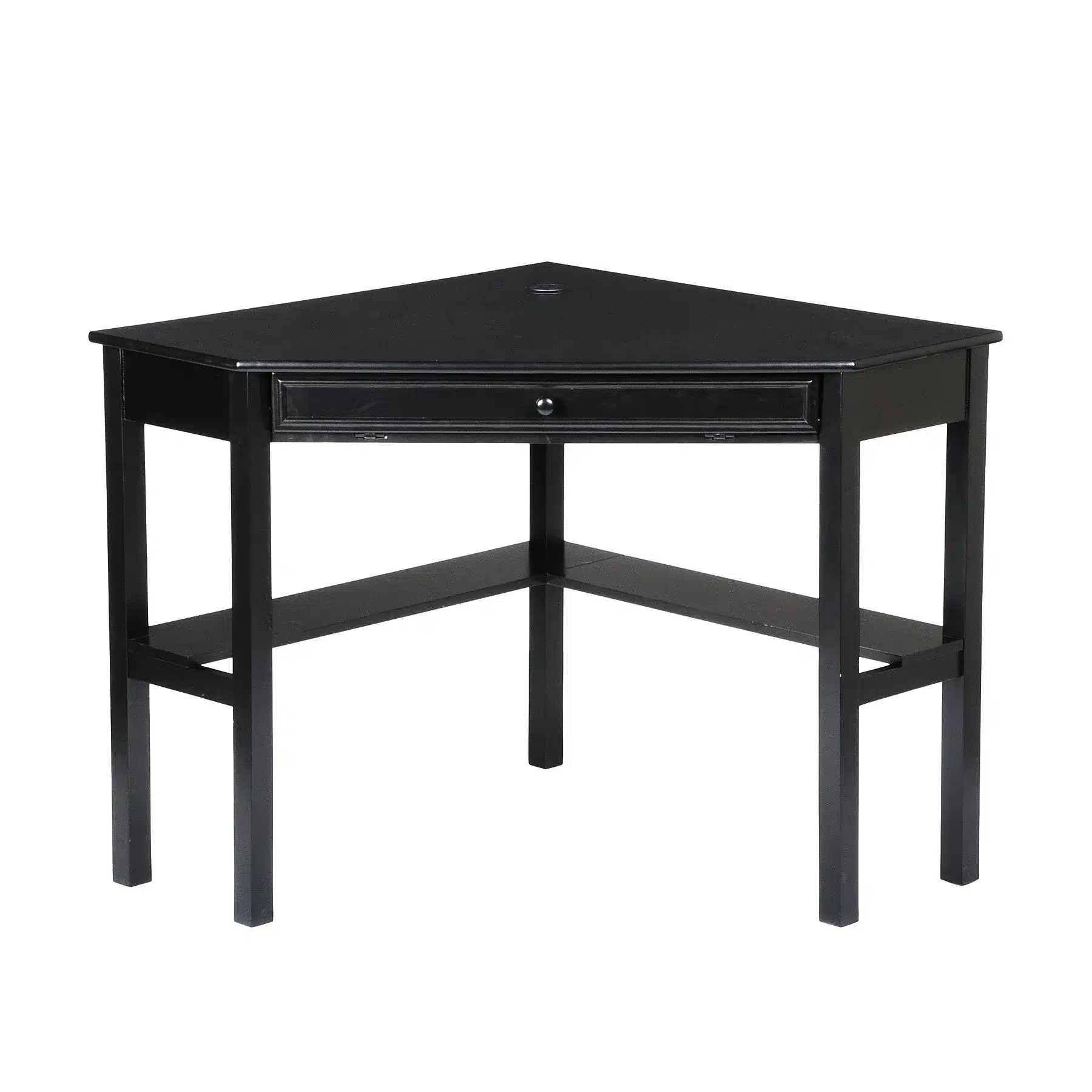
If you’re looking for a practical and stylish option, the Black Corner PC & Gaming Desk with Drawer Wooden Plastic Computer Table for Home Office & Living Room Featuring Cup Holder offers a modern black finish, a convenient drawer, and a cup holder—a thoughtful touch for those who like to keep a drink nearby. It’s designed to fit neatly into a corner and provide a tidy workspace.
Ultimately, the best desk is one that makes you feel productive and comfortable. Happy shopping!
Black Corner PC & Gaming Desk with Drawer Wooden Plastic Computer Table for Home Office & Living Room Featuring Cup Holder
For a practical and stylish choice, consider the Black Corner PC & Gaming Desk with Drawer Wooden Plastic Computer Table, which includes a convenient cup holder and drawer to keep your essentials organized.
Frequently asked questions
What are the standard dimensions of a corner computer desk with drawer?
Corner desks vary, but common dimensions are around 50-60 inches wide on each side and 29-30 inches high. The depth is typically 20-24 inches. Always measure your space to ensure a good fit.
How do I assemble a corner computer desk with drawer?
Most desks come with instructions and all necessary tools. Start by laying out all parts, then follow the step-by-step guide. It’s easier with two people. Tighten screws securely but avoid over-tightening to prevent stripping.
Can I use a corner computer desk with drawer for gaming?
Yes, many corner desks are suitable for gaming. Look for a sturdy build and enough surface area for monitors and peripherals. Some have cable management and cup holders, which are handy for gamers.
How do I clean and maintain my corner computer desk?
Wipe the surface with a soft, damp cloth and mild cleaner. Avoid abrasive pads. For wood finishes, use furniture polish occasionally. Check and retighten screws every few months to keep it stable.
