
Blog
The Complete Guide to Choosing an Electric Standing Desk
Buying Guide
Your Ultimate Electric Standing Desk Buying Guide
If you’re considering an electric standing desk, you’re not alone—millions are making the switch for better health and focus. This guide will walk you through everything you need to know, from ergonomic benefits to key features.
Why Choose an Electric Standing Desk?
Sitting for long hours has been linked to various health issues, including back pain and reduced circulation. An electric standing desk allows you to alternate between sitting and standing, which can improve posture and energy levels. Unlike manual crank desks, electric models offer smooth transitions at the touch of a button, making it easier to adjust your position throughout the day.
Beyond health, standing desks can boost productivity. Many users report better focus and reduced fatigue when they can change their working posture. The flexibility to stand during calls or creative tasks, then sit for deep work, keeps your body and mind engaged.
However, not all electric standing desks are created equal. When shopping, you’ll want to consider stability, weight capacity, and the quality of the motor. A wobbly desk is not only annoying but can also be a safety hazard. Look for desks with dual motors and a sturdy steel frame for reliable performance.
Key Features to Look For in an Electric Standing Desk
When evaluating an electric standing desk, several features can make or break your experience. Here are the most important ones to keep in mind:
- Height Range: Ensure the desk can go low enough for sitting (around 24-28 inches) and high enough for standing (around 40-48 inches) to accommodate your height.
- Weight Capacity: Consider the weight of your monitors, laptop, and other equipment. A desk with a higher weight capacity (150 lbs or more) offers more stability.
- Motor Quality: Look for dual motors for smoother and quieter operation. Single motors can struggle with heavier loads and may be noisier.
- Programmable Presets: Being able to save your preferred sitting and standing heights is a huge convenience, allowing you to switch positions with one touch.
- Cable Management: A built-in cable tray or grommets keep your workspace tidy and prevent cords from tangling.
Another feature to consider is the desk’s control panel. Some models come with digital displays and anti-collision technology, which detects obstacles and prevents the desk from crashing into objects. This is especially useful if you have pets or children around.
Ergonomics: Setting Up Your Standing Desk for Comfort
Having an electric standing desk is only the first step; proper ergonomics are crucial to reap the benefits. When standing, your elbows should be at a 90-degree angle, with your forearms parallel to the floor. The top of your monitor should be at eye level, and your keyboard should be close enough that you don’t have to reach.
Alternate between sitting and standing every 30 to 60 minutes. Use a timer or the desk’s preset reminders if available. When sitting, ensure your feet are flat on the floor and your knees are at a 90-degree angle. An anti-fatigue mat can make standing more comfortable, reducing pressure on your joints.
Remember, the goal is to move. Standing all day isn’t the answer either—it’s the variety that helps. Listen to your body and adjust as needed.
Space and Aesthetics: Finding the Right Fit
Before purchasing, measure your available space. Consider the desk’s width and depth, and whether you need additional room for drawers or a hutch. Also, think about the style: wood finishes like walnut or oak add warmth, while black or white frames fit modern or minimalist setups.
Cable management is not just functional but also aesthetic. A clean desk with hidden cables reduces visual clutter and improves focus. Look for desks with integrated cable trays or channels that keep cords out of sight.
If you have a corner or small space, an L-shaped or compact standing desk might be better. But for most people, a standard rectangular desk works well. Ensure the desk can handle your monitor setup—whether you use a single large monitor or multiple screens.
Comparing Electric vs. Manual Standing Desks
Manual standing desks, which use a crank or pneumatic lift, are cheaper but require physical effort to adjust. This can be a deterrent to changing positions frequently. Electric standing desks, on the other hand, offer effortless adjustments and are more likely to be used consistently.
Electric models also come with features like programmable presets and smooth lifting, which manual ones lack. While they are more expensive, the investment pays off in convenience and durability. If you have the budget, an electric desk is a worthwhile upgrade for your home office.
Top Considerations for Gaming and Heavy Use
If you’re a gamer or use heavy equipment, you need a desk that can handle the load. Look for a sturdy frame and a high weight capacity. A desk with a steel frame and a weight capacity of 200 lbs or more is ideal. Also, consider the desktop surface: a larger size like 60×30 inches gives you ample room for multiple monitors and a full-size keyboard.
For gaming, a desk with a full-size mouse pad integrated into the surface is a bonus, providing a smooth surface for your mouse. Cable management is especially important for gaming setups with multiple devices. Some desks include hidden cable trays that keep everything organized.
If you plan to use a monitor arm, ensure the desk’s thickness allows for clamping. Most standing desks are about 1 inch thick, which is compatible with most monitor arms. Also, check the desk’s stability at higher heights—some desks wobble when raised, which can be distracting during intense gaming sessions.
Installation and Maintenance Tips
Most electric standing desks come with clear instructions and can be assembled in under an hour. You’ll typically need a screwdriver and maybe a drill. Have a friend help you lift the desktop and attach the legs. Once assembled, test the height adjustments to ensure everything works smoothly.
To maintain your desk, regularly check for loose bolts and tighten them as needed. Clean the surface with a mild cleaner and avoid harsh chemicals. The motors are typically maintenance-free, but keep the area around them free of dust and debris.
If you encounter any issues, refer to the manufacturer’s warranty. Most quality desks come with a 5-year warranty on the frame and motors, so you can have peace of mind.
Budgeting for Your Electric Standing Desk
Electric standing desks range from around $300 to over $1000, depending on features and build quality. Entry-level desks are fine for light use, but if you plan to use the desk daily, consider investing in a mid-range model with dual motors and a higher weight capacity.
Think about the long-term benefits: a good electric standing desk can last for years and improve your health and productivity. It’s worth spending a bit more for a desk that meets your needs. Look for sales or bundle deals that include accessories like anti-fatigue mats or cable trays.
One option that balances quality and value is the electric standing desk from Goldoma, which offers a sturdy frame, smooth adjustments, and thoughtful cable management. But regardless of the brand, choose a desk that fits your space, style, and usage patterns.
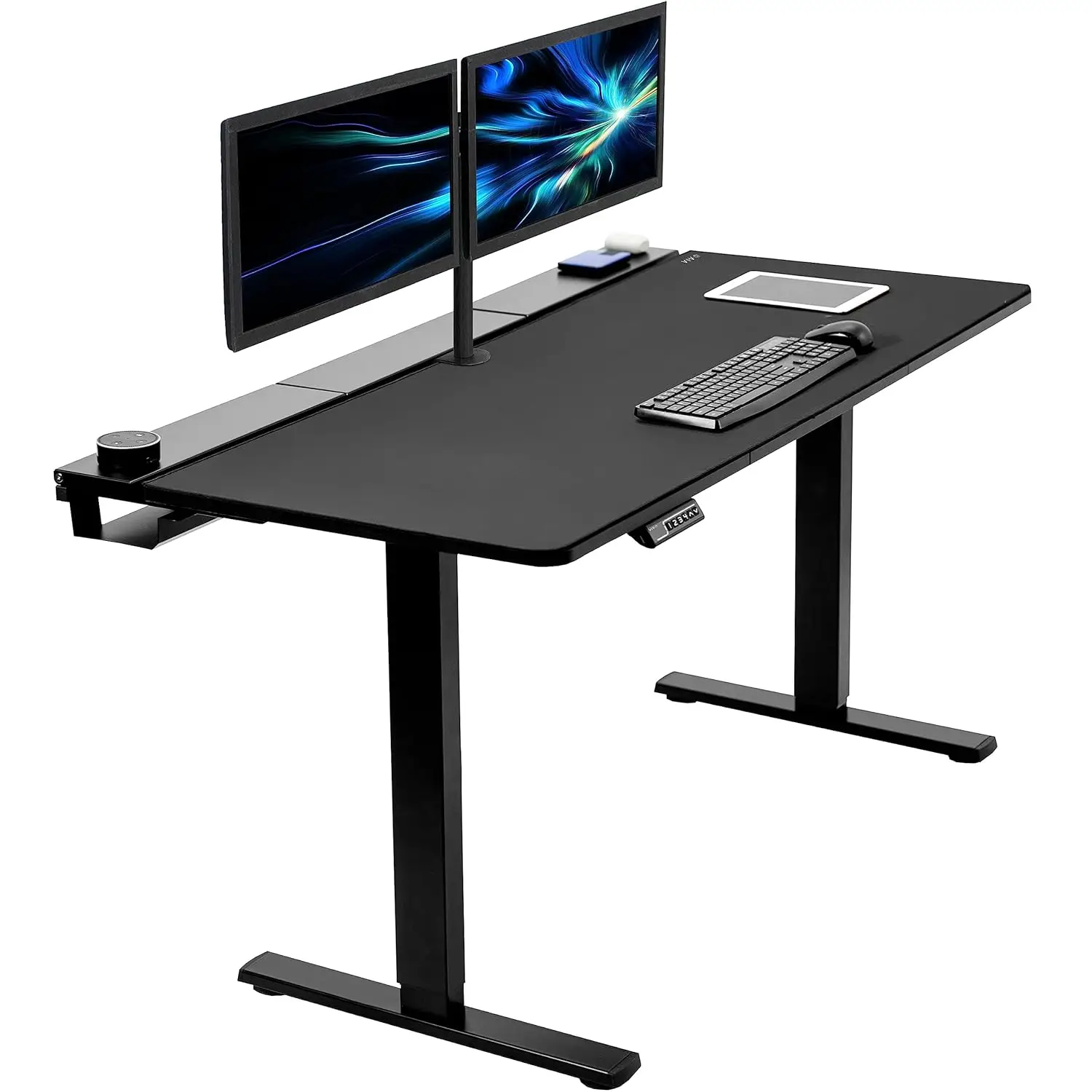
Electric 60 x 30 in Standing Adjustable Gaming Desk with Hidden Cable Trays, Full-Size Mouse Pad, Holds lbs,, Customized
For a reliable and feature-packed option, consider the Electric 60 x 30 in Standing Adjustable Gaming Desk from Goldoma, which combines durability, cable management, and a custom full-size mouse pad.
Frequently asked questions
How often should I alternate between sitting and standing?
Experts recommend alternating every 30 to 60 minutes. Start with a 1:1 ratio, gradually increasing standing time as your body adjusts.
Can an electric standing desk support multiple monitors?
Yes, most electric standing desks can support multiple monitors if the weight capacity is sufficient. Check the desk’s weight limit and ensure your setup falls within it.
Are electric standing desks noisy?
Quality electric standing desks with dual motors operate quietly, usually below 50 decibels. Single-motor models may be slightly louder but still acceptable for office use.
What is the warranty on electric standing desks?
Most reputable brands offer a 5-year warranty on the frame and motors, and a 1-2 year warranty on electronic components. Always check the specific warranty before purchasing.
