
Blog
The Ultimate Computer Desk Buying Guide for 2024
Buying Guide
Your Complete Computer Desk Buying Guide
Choosing the right computer desk can transform your productivity and comfort, but with so many options, it’s easy to feel overwhelmed. This guide will walk you through every consideration, from size and materials to ergonomics and style, so you can make an informed decision that fits your space and needs.
Why Your Computer Desk Matters More Than You Think
Your computer desk is more than just a piece of furniture; it’s the command center of your workday. A well-chosen desk can boost your focus, support your posture, and even elevate the look of your room. Conversely, a poor choice can lead to discomfort, clutter, and a space you dread using. That’s why investing time in finding the right computer desk is crucial for both your physical well-being and your productivity.
Think about how many hours you spend at your desk. Whether you’re working from home, studying, or gaming, that surface supports your daily activities. A desk that’s too low or too high can cause neck and back strain, while one that’s too small might force you into awkward positions. By prioritizing your needs, you’ll create a workspace that works for you, not against you.
Assessing Your Space: Size and Layout
Before you fall in love with a particular model, measure your room and think about where the desk will go. A computer desk should fit comfortably without making the room feel cramped. Consider the following:
- Width: Ensure there’s enough space for your monitor, keyboard, and any other essentials. A good rule of thumb is to have at least 30 inches of width for a single monitor setup.
- Depth: For most desks, a depth of 24 to 30 inches provides ample room for your monitor and peripherals without straining your arms.
- Height: Standard desks are around 29 inches tall, but your ideal height depends on your own stature. When seated, your elbows should be at a 90-degree angle, and your feet flat on the floor.
Also, think about the layout. Do you need a corner desk to maximize space? A standing desk for flexibility? Or a simple writing desk that fits against a wall? Sketch out a rough floor plan to visualize how the desk will interact with doors, windows, and other furniture.
Material Showdown: Wood, Metal, and More
The material of your computer desk affects its durability, appearance, and maintenance. Here’s a breakdown of common options:
- Solid Wood: Classic and sturdy, solid wood desks bring warmth and longevity. They can be heavier and more expensive, but they age beautifully.
- Wood Veneer: This offers the look of wood at a lower cost, using a thin layer over engineered wood. It’s lighter but can be less durable.
- Metal: Steel or aluminum frames provide a modern, industrial look and are incredibly strong. They’re often paired with glass or wood tops for style.
- Glass: Sleek and easy to clean, glass desks can make a room feel larger. However, they can show smudges and may be fragile.
- Laminate: A budget-friendly option that’s resistant to scratches and stains, available in many finishes.
When choosing, balance aesthetics with practicality. If you have kids or pets, a scratch-resistant laminate might be wise. If you want a statement piece, solid wood or a steel-frame desk could be perfect.
Ergonomics: Designing for Your Body
Ergonomics should be at the heart of your decision. A computer desk that doesn’t support good posture can lead to chronic pain and fatigue. Key ergonomic features to look for:
- Adjustable Height: Standing desks or those with adjustable legs let you alternate between sitting and standing, reducing the risks of prolonged sitting.
- Keyboard Tray: A pull-out tray can position your keyboard at elbow height, preventing wrist strain.
- Monitor Stand: Your screen should be at eye level, about an arm’s length away. If your desk is too low, you might need a separate monitor riser.
- Cable Management: Keeping cords organized prevents clutter and tripping hazards.
Remember, the best desk in the world won’t fix poor habits. Take regular breaks, stretch, and adjust your setup as needed. But starting with a desk that supports your body is a smart investment.
Style Meets Function: Aesthetics That Inspire
Your computer desk is a prominent piece of furniture, so it should complement your room’s decor. Whether you prefer a minimalist Scandinavian design, a rustic farmhouse look, or an industrial vibe, there’s a desk to match. Consider the following:
- Color: Neutral tones like white, gray, or wood finishes blend easily, while bold colors can become a focal point.
- Shape: Rectangular desks are classic, but L-shaped or U-shaped desks offer more surface area and can define a workspace.
- Storage: Drawers, shelves, and hutch units help keep your workspace tidy. Think about what you need to store—papers, supplies, or just your keyboard.
Don’t underestimate the psychological impact of a beautiful workspace. When you enjoy being at your desk, you’re more likely to stay focused and productive.
Special Features: What Else Can a Desk Do?
Modern computer desks come with a range of features designed to enhance your experience. Some to consider:
- Cable Management Holes: Keep wires out of sight and out of mind.
- Built-in Power Outlets: Convenient for charging devices without reaching for wall sockets.
- Keyboard Trays: As mentioned, these free up desk space and improve ergonomics.
- Adjustable Shelves: Customize storage to fit your gear.
- Wheels: If you need to move your desk frequently, casters can be handy, but they may reduce stability.
Prioritize features that address your specific workflow. For example, if you’re a gamer, you might want a desk with a dedicated headphone hook and plenty of space for multiple monitors. If you’re a writer, a simple, clutter-free surface might be enough.
Budgeting for Your Desk: Value vs. Price
Set a realistic budget before you start shopping. Computer desks range from under $100 to well over $1,000. Here’s what you can expect at different price points:
- $100–$250: Basic laminate or particleboard desks with simple designs. These are functional but may not last as long.
- $250–$500: Better materials like solid wood or metal frames, more storage options, and improved aesthetics.
- $500 and up: High-end desks with premium materials, adjustable features, and exceptional durability.
While it’s tempting to go cheap, consider the desk as a long-term investment. A well-built desk can last decades, whereas a flimsy one might need replacing in a few years. Look for reviews and check the warranty to gauge quality.
Assembly and Maintenance: The After-Purchase Reality
Once you’ve chosen your desk, think about the logistics. Some desks arrive fully assembled, but many require DIY assembly. If you’re not handy, look for desks with simple assembly instructions or professional installation services. Also, consider the maintenance:
- Wood: Dust regularly and use coasters to prevent water rings. Occasionally apply furniture polish.
- Metal: Wipe with a damp cloth and dry to prevent rust.
- Glass: Use glass cleaner and a microfiber cloth for streak-free shine.
Taking care of your desk will keep it looking new and extend its lifespan.
Where to Buy: Online vs. In-Store
Both online and in-store shopping have pros and cons. Online retailers offer a wider selection and often better prices, but you can’t test the desk’s comfort or see the material in person. In-store showrooms let you touch and feel the desk, but your choices may be limited. When buying online, read customer reviews and check the return policy. If possible, visit a store to try out ergonomic features before committing.
For more in-depth guidance on workspace ergonomics, check out this Wikipedia article on ergonomics.
Ultimately, the best computer desk for you is one that fits your space, supports your body, and matches your style. Take your time, do your research, and you’ll find a desk that serves you well for years to come.
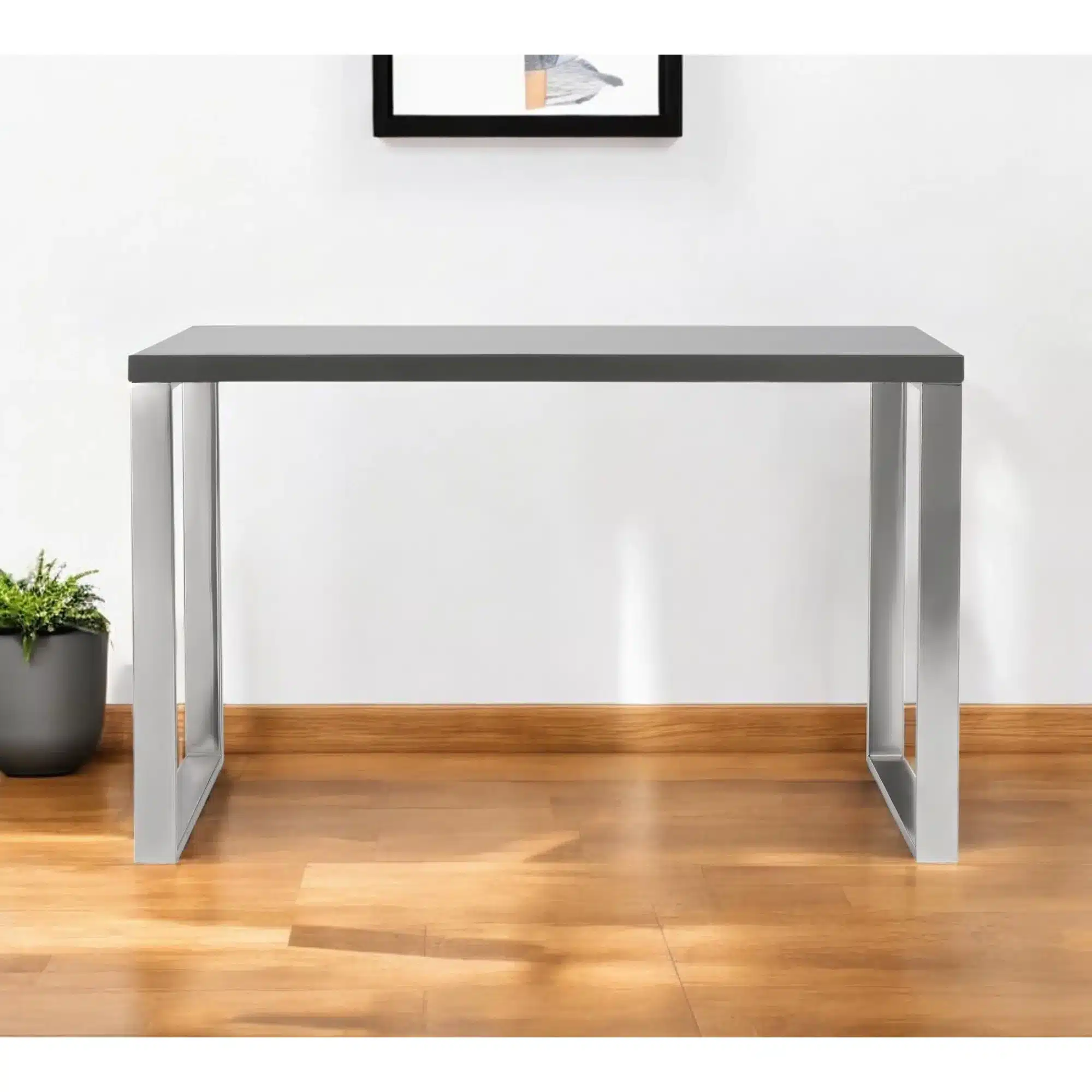
47″ Gray and Silver Wood and Stainless Steel Sled Computer Desk Durable and Stylish Writing Desk
If you’re looking for a blend of durability and style, consider the 47″ Gray and Silver Wood and Stainless Steel Sled Computer Desk, which offers a sturdy frame and a clean, modern look that fits many decor styles.
Frequently asked questions
What is the ideal height for a computer desk?
The standard desk height is 29 inches, but the ideal height depends on your body. When seated, your elbows should be at a 90-degree angle, and your feet flat on the floor. Adjustable height desks can accommodate different preferences.
What is the best material for a durable computer desk?
Solid wood and steel are among the most durable materials. Solid wood offers longevity and can be refinished, while steel frames provide strength and stability. Laminate is also resistant to scratches but may not last as long as solid wood.
How much space do I need for a computer desk?
Measure your room and allow at least 30 inches of width and 24 inches of depth for a single monitor setup. For multiple monitors, you’ll need more space. Also, consider clearance for chairs and walkways.
Are standing desks worth it?
Standing desks can reduce the risks of prolonged sitting, like back pain and poor posture. They allow you to alternate between sitting and standing, which can boost energy and productivity. However, they are often more expensive and require a higher budget.
