
Blog
The Ultimate Standing Desk with Power Outlet Guide
Workspace Guide
Find Your Perfect Standing Desk with Power Outlet
A standing desk with power outlet is more than a convenience—it’s a game changer for productivity and tidiness. Let’s explore what makes them essential.
Why Choose a Standing Desk with Power Outlet?
Modern workstations demand flexibility. A standing desk with power outlet integrates electricity directly into your desk, eliminating messy cable tangles and making it easy to charge devices. This feature supports a clean, efficient workspace.
Beyond aesthetics, having power at your fingertips means you can plug in your laptop, monitor, and phone without reaching for distant outlets. This convenience encourages you to alternate between sitting and standing, promoting better posture and focus.
Key Features to Look For
When shopping for a standing desk with power outlet, consider these aspects:
- Outlet Placement: Front-facing or side-mounted for easy access.
- USB Ports: Additional USB-A and USB-C for versatile charging.
- Wire Management: Built-in grommets and trays to hide cables.
- Height Range: Ensure it fits your height, typically 22-48 inches.
- Weight Capacity: Check it supports your monitor and accessories.
Each feature contributes to a seamless experience. Prioritize what matters most to your workflow.
Ergonomics and Health Benefits
Alternating between sitting and standing reduces the risks of prolonged sitting, such as back pain and metabolic issues. The ergonomics of your setup are crucial. Position your monitor at eye level and keep your wrists straight while typing.
A standing desk with power outlet encourages movement, which can boost energy and concentration. Remember to adjust the height so your elbows form a 90-degree angle when typing.
Materials and Durability
Desktops come in various materials: solid wood, bamboo, MDF, or laminate. Each has its pros and cons in terms of durability and aesthetics. Thicker desktops, like 1.38 inches, offer sturdiness and reduce wobble during use.
Consider the frame material as well—steel is common for stability. A robust frame ensures your desk withstands daily adjustments.
Setting Up Your Desk for Success
Once you have your desk, proper setup is key. Use the power outlet to manage cables: plug in a surge protector, then route cords along the underside. This keeps your workspace safe and tidy.
Place your desk near a natural light source, but avoid glare on your screen. Use a mat if you stand for long periods to reduce fatigue.
Common Mistakes to Avoid
Many people forget to measure their space or check the outlet type. Ensure your desk has enough room for your equipment and that the power outlet is compatible with your devices.
Don’t neglect cable management—even with a power outlet, loose cables can become a hazard. Use clips and ties to keep them organized.
Maintenance and Longevity
Keep your desk clean and avoid overloading the outlets. Wipe the surface with a damp cloth and check screws periodically. With care, your standing desk with power outlet will last for years.
If you notice any electrical issues, consult a professional. Safety first.
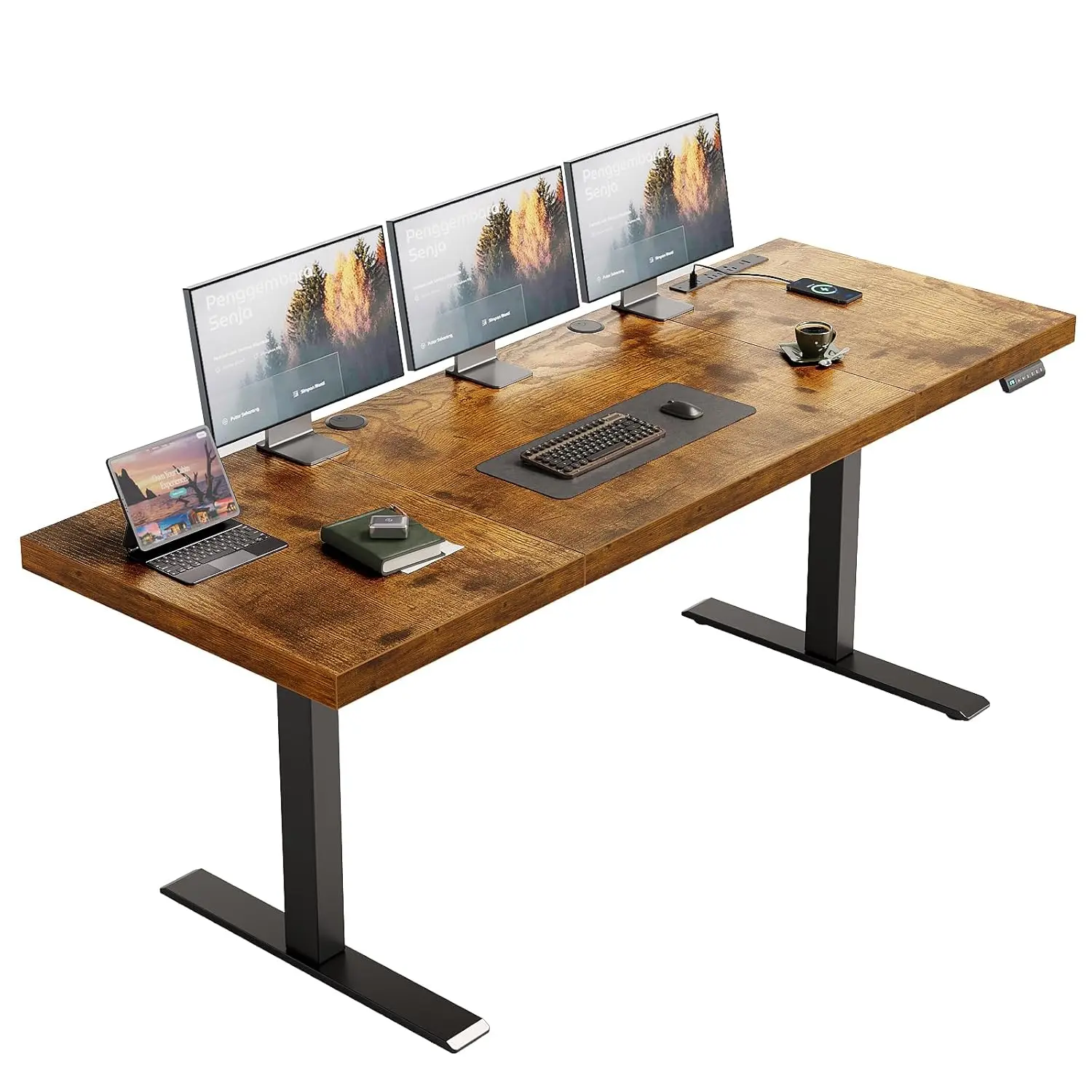
71 Inch Executive Electric Standing Desk, Height Adjustable Desk with Power Outlet & 1.38″ Thick 3-Piece Desktop,, Customized
Consider the Goldoma 71 Inch Executive Electric Standing Desk, which features a built-in power outlet and a sturdy 1.38-inch thick desktop for a seamless workspace.
Frequently asked questions
What is a standing desk with power outlet?
It’s a height-adjustable desk that includes built-in electrical outlets and often USB ports, allowing you to power devices directly from the desk.
Are standing desks with power outlets safe?
Yes, when certified and used properly. Look for UL or ETL certification and avoid overloading the outlet.
How much height range do I need?
Most desks adjust from 24 to 50 inches, but ensure the range suits your height when sitting and standing. Check your elbow height for proper ergonomics.
Can I install a power outlet on my existing desk?
Yes, there are aftermarket kits that clamp onto a desk, but ensure they are installed safely and meet electrical codes.
